


Преглед
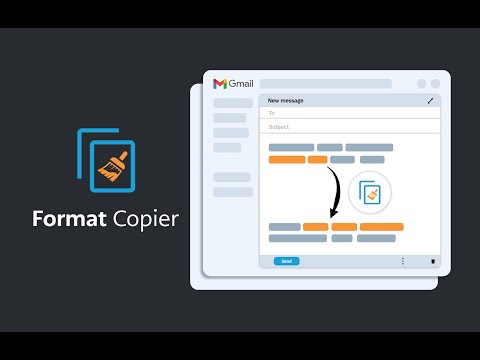
Сликар формата за Гмаил. Копира текстуални формат и примењује тај формат на други текст.
A format painter for Gmail has arrived. This extension is a tool to copy the format of a body of text and paste that format onto another body of text. This extension has been specifically designed to work with Gmail when it is accessed through the Google Chrome Browser. ------------------------ INSTRUCTIONS - See below or above video For installation instructions see instruction video. * After installing this extension, close all opened windows of Chrome and then reopen. Once Chrome is reopened, the extension will operate. 1. Highlight the text you wish to copy the format from and then right click “Format Copier” from the right click menu then click “Copy” 2. Highlight the text you wish to copy the format to and then right click “Format Copier” from the right click menu then click “Paste” 3. Congratulations! Want to speed things up? You can assign “Copy” and “Paste” to keyboard shortcuts. Instructions on how to do this below or in the video. 1. In your Chrome Browser go to chrome://extensions/shortcuts 2. Find this extension and assign copy and paste functions to a keyboard shortcut of your choosing. This can be achieved for each function by first clicking the pencil icon next to each function 3. You have successfully assigned keyboard shortcuts to the copy and paste functions, Congratulations! Instructions with keyboard shortcuts. 1. Highlight the text you wish to copy the format from and then enter your keyboard shortcut for the “Copy” function 2. Highlight the text you wish to copy the format from and then enter your keyboard shortcut for the “Paste” function 3. You have successfully copied and pasted text format, congratulations! ------------------------ Step by step instructions also in video form above. *note that copying the format of bullet points is not yet supported. All updates are included free of charge for any customers that have previously purchased.
4,2 од 520 оцена
Детаљи
- Верзија3.52
- Ажурирано5. април 2026.
- ФункцијеНуди куповине у апликацији
- Величина330KiB
- Језици54 језика
- ПрограмерAlexandros CollivasВеб-сајт
Unit 913/627 Victoria St Abbotsford, VIC 3067 AUИмејл
formatcopier@gmail.comТелефон
+61 413 707 649 - ТрговацОвај програмер се идентификовао као трговац према дефиницији Европске уније и обавезао да ће нудити само производе или услуге које су у складу са законима ЕУ.
Приватност

Format Copier је открио следеће информације у вези са прикупљањем и коришћењем ваших података. Детаљније информације можете да пронађете у програмеровом документу privacy policy.
Format Copier поступа са следећим:
Овај програмер изјављује да се ваши подаци
- не продају трећим странама, осим у оквиру одобрених случајева коришћења
- не користе и не преносе у сврхе које нису повезане са основном функцијом ставке
- не користе и не преносе ради утврђивања кредитне способности или давања зајма
Подршка
Ако вам треба помоћ у вези са питањима, предлозима или проблемима, отворите ову страницу у прегледачу за рачунаре