


Przegląd
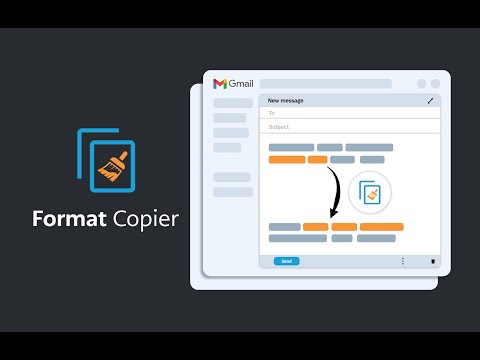
Malarz formatów dla Gmaila. Kopiuje format tekstu i stosuje ten format do innego tekstu.
A format painter for Gmail has arrived. This extension is a tool to copy the format of a body of text and paste that format onto another body of text. This extension has been specifically designed to work with Gmail when it is accessed through the Google Chrome Browser. ------------------------ INSTRUCTIONS - See below or above video For installation instructions see instruction video. * After installing this extension, close all opened windows of Chrome and then reopen. Once Chrome is reopened, the extension will operate. 1. Highlight the text you wish to copy the format from and then right click “Format Copier” from the right click menu then click “Copy” 2. Highlight the text you wish to copy the format to and then right click “Format Copier” from the right click menu then click “Paste” 3. Congratulations! Want to speed things up? You can assign “Copy” and “Paste” to keyboard shortcuts. Instructions on how to do this below or in the video. 1. In your Chrome Browser go to chrome://extensions/shortcuts 2. Find this extension and assign copy and paste functions to a keyboard shortcut of your choosing. This can be achieved for each function by first clicking the pencil icon next to each function 3. You have successfully assigned keyboard shortcuts to the copy and paste functions, Congratulations! Instructions with keyboard shortcuts. 1. Highlight the text you wish to copy the format from and then enter your keyboard shortcut for the “Copy” function 2. Highlight the text you wish to copy the format from and then enter your keyboard shortcut for the “Paste” function 3. You have successfully copied and pasted text format, congratulations! ------------------------ Step by step instructions also in video form above. *note that copying the format of bullet points is not yet supported. All updates are included free of charge for any customers that have previously purchased.
4,4 na 519 ocen
Szczegóły
- Wersja3.51
- Zaktualizowano5 października 2025
- FunkcjeZawiera zakupy w aplikacji
- Rozmiar329KiB
- JęzykiJęzyki: 54
- DeweloperAlexandros CollivasWitryna
Unit 913/627 Victoria St Abbotsford, VIC 3067 AUE-mail
formatcopier@gmail.comTelefon
+61 413 707 649 - PrzedsiębiorcaTen programista określił siebie jako przedsiębiorcę zgodnie z definicją Unii Europejskiej i zobowiązał się oferować tylko produkty i usługi zgodne z przepisami obowiązującymi w UE.
Prywatność

Udostępniono podane niżej oświadczenie dotyczące zbierania i używania Twoich danych przez produkt Format Copier. Więcej szczegółowych informacji zawiera privacy policy dewelopera.
Format Copier obsługuje te dane:
Ten wydawca oświadcza, że Twoje dane
- nie są sprzedawane osobom trzecim (z wyjątkiem uzasadnionych przypadków)
- nie są używane ani przesyłane w celach niezwiązanych z podstawową funkcją produktu,
- nie są używane ani przesyłane w celu ustalenia zdolności kredytowej lub udzielania pożyczek.
Pomoc
Jeśli masz pytania, sugestie lub problemy, otwórz tę stronę w przeglądarce na komputerze