


Oversikt
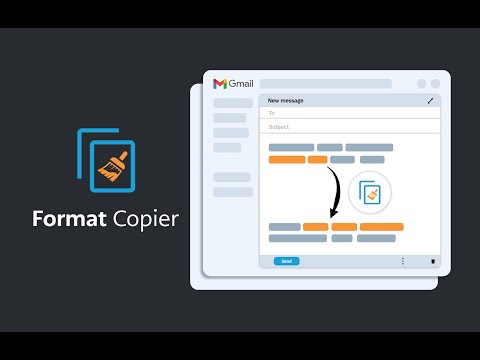
En formatmaler for Gmail. Kopierer et tekstformat og bruker det formatet på annen tekst.
A format painter for Gmail has arrived. This extension is a tool to copy the format of a body of text and paste that format onto another body of text. This extension has been specifically designed to work with Gmail when it is accessed through the Google Chrome Browser. ------------------------ INSTRUCTIONS - See below or above video For installation instructions see instruction video. * After installing this extension, close all opened windows of Chrome and then reopen. Once Chrome is reopened, the extension will operate. 1. Highlight the text you wish to copy the format from and then right click “Format Copier” from the right click menu then click “Copy” 2. Highlight the text you wish to copy the format to and then right click “Format Copier” from the right click menu then click “Paste” 3. Congratulations! Want to speed things up? You can assign “Copy” and “Paste” to keyboard shortcuts. Instructions on how to do this below or in the video. 1. In your Chrome Browser go to chrome://extensions/shortcuts 2. Find this extension and assign copy and paste functions to a keyboard shortcut of your choosing. This can be achieved for each function by first clicking the pencil icon next to each function 3. You have successfully assigned keyboard shortcuts to the copy and paste functions, Congratulations! Instructions with keyboard shortcuts. 1. Highlight the text you wish to copy the format from and then enter your keyboard shortcut for the “Copy” function 2. Highlight the text you wish to copy the format from and then enter your keyboard shortcut for the “Paste” function 3. You have successfully copied and pasted text format, congratulations! ------------------------ Step by step instructions also in video form above. *note that copying the format of bullet points is not yet supported. All updates are included free of charge for any customers that have previously purchased.
4,4 av 519 vurderinger
Detaljer
- Versjon3.51
- Oppdatert5. oktober 2025
- FunksjonerTilbyr kjøp i appen
- Størrelse329KiB
- Språk54 språk
- UtviklerAlexandros CollivasNettsted
Unit 913/627 Victoria St Abbotsford, VIC 3067 AUE-post
formatcopier@gmail.comTelefon
+61 413 707 649 - ErvervsdrivendeDenne utvikleren har identifisert seg som næringsdrivende i henhold til definisjonen fra EU og forpliktet seg til å bare tilby produkter eller tjenester som overholder EU-lovgivning.
Personvern

Format Copier har oppgitt følgende informasjon om innsamling og bruk av dataene dine. Du finner mer detaljert informasjon i utviklerens privacy policy.
Format Copier håndterer følgende:
Denne utvikleren erklærer at dataene dine
- ikke selges til tredjeparter, med unntak for de godkjente bruksområdene
- ikke brukes eller overføres for formål som ikke er relatert til varens kjernefunksjonalitet
- ikke brukes eller overføres for å fastslå kredittverdighet eller for låneformål
Brukerstøtte
For å få hjelp med spørsmål, forslag eller problemer, åpne denne siden i en nettleser på en datamaskin