


Overview
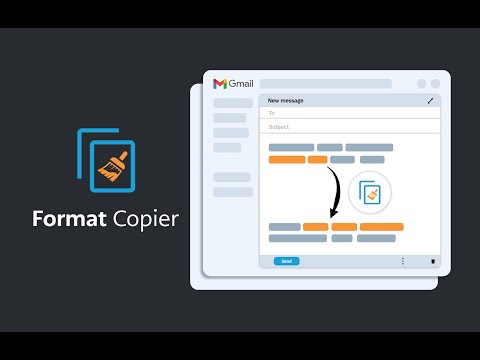
A format painter for Gmail. Copies a text format and applies that format to other text.
The Format Painter that Gmail never built. You know the format painter in Word, Google Docs, and PowerPoint? The one that copies formatting with a single click? Gmail doesn't have one. Until now. Format Copier lets you copy the exact formatting from any text in a Gmail draft and paste it onto other text - bold, font, size, color, highlight, italic, underline, strikethrough - without changing a single word. TRY IT FREE FOR 28 DAYS - NO CREDIT CARD REQUIRED FOR 14 DAYS. Click "Add to Chrome" Open Gmail (refresh if already open) You're done - start using it immediately Your 14-day free trial starts automatically with no credit card. Subscribe during your trial and get an additional 14 days free - that's 28 days total to try it risk-free. HOW TO USE (takes 5 seconds) COPY a format: Select text with the formatting you want > Right-click > Format Copier > Copy Text Format PASTE the format: Select the text you want to restyle > Right-click > Format Copier > Paste Text Format That's it. Your words stay exactly the same. Only the styling changes. EVEN FASTER WITH KEYBOARD SHORTCUTS Go to chrome://extensions/shortcuts in your browser Find "Format Copier" and set: Copy Text Format: Alt+C Paste Text Format: Alt+V Now just select text and press the shortcut - no right-clicking needed WHAT STYLES CAN YOU COPY? Font family and size Text color Background highlight color Bold, italic, underline, strikethrough Most span-level styles in the Gmail editor WHO IS IT FOR? Anyone who sends formatted emails in Gmail: sales teams, recruiters, customer support, legal, marketing, executive assistants, freelancers - anyone who wants professional, consistent formatting without fighting Gmail's toolbar. PRICING - SIMPLE AND FAIR 14-day free trial: no credit card, no commitment Subscribe during trial: get an extra 14 days free (28 days total) After trial: just $4.50 USD per year (less than $0.38/month) Cancel anytime with one click All future updates included for active subscribers HOW YOUR ACCOUNT WORKS Your subscription is linked to your email address: If Chrome knows your Google account, it's automatic - nothing to do If not, the extension asks for your email once to link your account Switching Chrome profiles? We auto-detect the change Need it on multiple accounts? Email formatcopier@gmail.com for team pricing TROUBLESHOOTING Right-click menu not showing? Refresh Gmail. Make sure you're on mail.google.com and editing a message in rich-text mode. Nothing happens when I copy/paste? Select text first. Format Copier only works on selected text within a Gmail compose window. Says I'm not subscribed but I paid? Open the Format Copier popup and enter the email you used when subscribing. This links your payment to your browser. Conflicts with another extension? Temporarily disable other extensions that modify Gmail's editor, then test again. Still stuck? Click the extension popup and use the bug report form - tell us what happened and we'll help. CURRENT LIMITATIONS Bullet/number list markers are not yet copied (content and other formatting still works) Gmail must be in rich-text mode, not plain text Desktop Chrome only (not mobile apps)
3.9 out of 522 ratings
Details
- Version3.52
- UpdatedApril 5, 2026
- FeaturesOffers in-app purchases
- Size330KiB
- Languages54 languages
- DeveloperAlexandros CollivasWebsite
Unit 913/627 Victoria St Abbotsford, VIC 3067 AUEmail
formatcopier@gmail.comPhone
+61 413 707 649 - TraderThis developer has identified itself as a trader per the definition from the European Union and committed to only offer products or services that comply with EU laws.
Privacy

Format Copier has disclosed the following information regarding the collection and usage of your data. More detailed information can be found in the developer's privacy policy.
Format Copier handles the following:
This developer declares that your data is
- Not being sold to third parties, outside of the approved use cases
- Not being used or transferred for purposes that are unrelated to the item's core functionality
- Not being used or transferred to determine creditworthiness or for lending purposes
Support
For help with questions, suggestions, or problems, please open this page on your desktop browser