Item logo image for Force Servicenow Navbar

Force Servicenow Navbar

5.0(

1 rating

)
Item media 3 (screenshot) for Force Servicenow Navbar
Item video thumbnail
Item media 2 (screenshot) for Force Servicenow Navbar
Item media 3 (screenshot) for Force Servicenow Navbar
Item video thumbnail
Item media 2 (screenshot) for Force Servicenow Navbar
Item media 3 (screenshot) for Force Servicenow Navbar

Overview

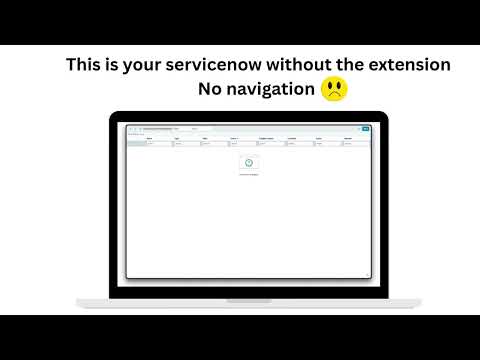
Forces Servicenow instances to always use the navbar for table and list views

Allows servicenow based instances to display navigation bar when a user opens links in a new tab.

Details

  • Version
    1.0.0
  • Updated
    February 19, 2026
  • Offered by
    AnoBuilds
  • Size
    14.67KiB
  • Languages
    English (United States)
  • Developer
    Email
    info@nantar.tv
  • Non-trader
    This developer has not identified itself as a trader. For consumers in the European Union, please note that consumer rights do not apply to contracts between you and this developer.

Privacy

Manage extensions and learn how they're being used in your organization
The developer has disclosed that it will not collect or use your data. To learn more, see the developer’s privacy policy.

This developer declares that your data is

  • Not being sold to third parties, outside of the approved use cases
  • Not being used or transferred for purposes that are unrelated to the item's core functionality
  • Not being used or transferred to determine creditworthiness or for lending purposes

Related

Custom Home & New Tab Page

5.0

Overrides both the new tab and home page with custom content

List All Tabs

4.3

show a list of all open tabs

New Tab URL

4.0

Opens a user-defined URL when a new tab is opened.

Link Opens in New Tab

5.0

Shows "opens in new tab" in the status bar when hovering over links.

Back To Close

3.0

Browser extension that closes the active tab when navigating back on the first history entry

Open Link and New Tab Next to Current

4.3

Open new tabs and links next to your current tab instead of at the end of the tab bar.

Last Tab

3.8

Activate last used tab when closing one

dynaBar D365FO

4.7

Change the current navigation bar

Link in Current Tab

5.0

Force all links to be opened in current tab instead of the new one

Open Link in New Tab

2.0

Open All Links in New Tab by Default

Link Controller

4.4

Control Whether Links Open in a New or Current Tab

Bootstrap Viewport

4.8

Displays the current Bootstrap Viewport

Custom Home & New Tab Page

5.0

Overrides both the new tab and home page with custom content

List All Tabs

4.3

show a list of all open tabs

New Tab URL

4.0

Opens a user-defined URL when a new tab is opened.

Link Opens in New Tab

5.0

Shows "opens in new tab" in the status bar when hovering over links.

Back To Close

3.0

Browser extension that closes the active tab when navigating back on the first history entry

Open Link and New Tab Next to Current

4.3

Open new tabs and links next to your current tab instead of at the end of the tab bar.

Last Tab

3.8

Activate last used tab when closing one

dynaBar D365FO

4.7

Change the current navigation bar

Google apps