

Force Dark Mode - ThemeSwitcher
1 rating
)
Overview
Apply smart dark mode to websites, PDFs, and documents with Auto, CSS, Invert, native dark detection, and local PDF rendering.
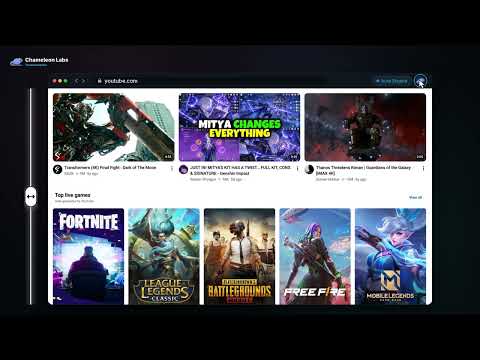
Force Dark Mode - ThemeSwitcher turns websites, PDFs, and local documents dark without breaking photos, videos, or page layouts. It checks each page and picks the best method automatically. KEY FEATURES ✦ Auto Engine: picks the right method for each page and leaves sites that already have a dark theme alone. ✦ CSS Engine: recolors backgrounds, text, forms, and borders while keeping images, videos, and canvas untouched. ✦ Invert Engine: protected inversion for graphics-heavy pages and web apps. ✦ Document Reader: read PDFs and everyday documents in a built-in dark reader. Files are processed on your device. ✦ Per-Site Settings: choose a theme, background color, brightness, contrast, and sepia for each site. ✦ No White Flashes: dark mode is applied as the page starts loading. ✦ Side Panel: click the toolbar icon to open the controls beside the page. It stays open and follows the site you are on. ✦ Shortcuts: Alt+Shift+D toggles dark mode, Alt+Shift+O opens the document viewer, and the right-click menu does both. HOW TO USE IT 1. Click the toolbar icon to open the side panel. 2. Turn dark mode on or off and pick an engine, theme, or background for the site. 3. Click "Open file viewer" (or press Alt+Shift+O) to read a PDF or document in dark mode. PRIVACY • No third-party analytics, tracking pixels, or advertising. Settings sync through your Google Account (chrome.storage.sync). Open source (MIT). • Nothing is sent on its own. There are two optional reports, and you decide on both: • Daily usage report: off unless you turn it on (a card asks once, and you can change it any time in Options). If you turn it on, each day you use dark mode we receive a random install ID (not linked to you), the date and extension version, which engines you used, and how many sites dark mode was applied on, a number only and never which sites. Turning it off deletes it. • Report this site as broken: a button in the side panel. It shows exactly what will be sent (the site's domain, your engine and theme choice, and the extension version, never the page address or content) and sends it only after you confirm. These reports are deleted after 13 months. • Everything else runs locally. The only other network request is when you open a web PDF in the viewer: it downloads straight from the site that hosts it, and nothing is sent to us. SUPPORT Website: https://darkmode.pshah.fun/ Support & Feedback: https://darkmode.pshah.fun/support.html Help & Guides: https://darkmode.pshah.fun/how-it-works.html
5 out of 51 rating
Details
- Version2.1.0
- UpdatedOctober 22, 2026
- Offered bypshah-lab
- Size626KiB
- LanguagesEnglish
- Developer
Email
pshah88669@gmail.com - Non-traderThis developer has not identified itself as a trader. For consumers in the European Union, please note that consumer rights do not apply to contracts between you and this developer.
Privacy

Force Dark Mode - ThemeSwitcher has disclosed the following information regarding the collection and usage of your data. More detailed information can be found in the developer's privacy policy.
Force Dark Mode - ThemeSwitcher handles the following:
This developer declares that your data is
- Not being sold to third parties, outside of the approved use cases
- Not being used or transferred for purposes that are unrelated to the item's core functionality
- Not being used or transferred to determine creditworthiness or for lending purposes
Support
For help with questions, suggestions, or problems, visit the developer's support site