

Folderloom: Folders, Prompts, Search, Export & Continue Across AI Chats

Overview
Organize ChatGPT, Claude & Gemini chats with folders, reusable prompts, local search, cross-AI transfers and PDF export.
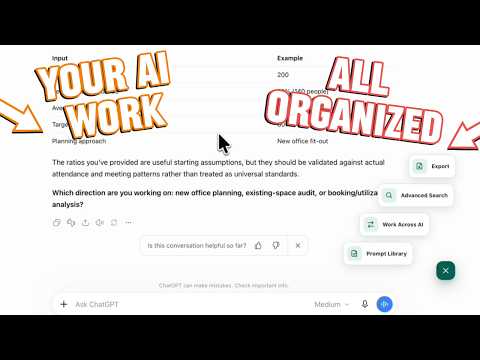
Folderloom — a better home for your AI conversations 📁 Keep your chats in order Add folders, nested folders and bookmarks to ChatGPT, Claude and Gemini. Organize by project, client or topic, and drag chats into place. 🔎 Search beyond the title Advanced Search searches titles and conversation text saved locally when you open a chat. Find matching words across all three AI tools and open the original conversation. Unloaded messages, images and attachments may be missing. Free can open the five newest matching chats; Pro can open every match. Clear your local search cache whenever you like. 📄 Keep useful conversations as PDFs — Pro Preview loaded messages in a separate tab, browse pages, adjust zoom and download an A4 PDF with headings, lists, tables and code. Generation happens locally, without uploading your conversation to Knoveya. Export does not scroll to load older history; unloaded messages and alternate responses may be missing. Images, files and artifacts are not embedded. Preparation and download require an online check of account-linked Pro access. 💡 Reuse good prompts Save prompts in your Prompt Library and insert them into any supported AI. Pro adds templates with fill-in variables. 🔄 Continue in another AI Choose Read visible chat to create an editable draft from rendered text and code. Folderloom opens a new chat and fills the draft; you review it and press Send. Unloaded history, images, files and artifacts may not carry over. ✨ Start free. Upgrade when you need more. A connected Google-backed Knoveya account is required. Free includes three chat folders and ten bookmarks per workspace, five saved prompts, three prompt folders and three cross-AI transfers per UTC month. Pro is a one-time purchase, with no subscription: it removes the limits listed above and adds prompt variables, PDF export and access to every search match. Pro follows your account across devices; your folders, prompts and search index stay local to each device. 🔒 Your workspace stays yours Organization, saved prompts, settings and search index stay in Chrome local storage, without content sync to Knoveya. Knoveya receives account and usage information for sign-in, Pro verification and transfer limits—not chat text, PDF content or handoff drafts. 🛠 Permissions storage and unlimitedStorage save your local workspace and search index. sidePanel displays the tools. Access to ChatGPT, Claude and Gemini enables integration; api.knoveya.com supports account connection, Pro checks and transfer limits. Folderloom is built by Knoveya. It is not affiliated with OpenAI, Anthropic or Google. 🔗 https://knoveya.com/folderloom
4.6 out of 55 ratings
Details
- Version0.4.10
- UpdatedOctober 21, 2026
- FeaturesOffers in-app purchases
- Size5.21MiB
- Languages55 languages
- DeveloperWebsite
Email
tuantran@knoveya.com - Non-traderThis developer has not identified itself as a trader. For consumers in the European Union, please note that consumer rights do not apply to contracts between you and this developer.
Privacy

Folderloom: Folders, Prompts, Search, Export & Continue Across AI Chats has disclosed the following information regarding the collection and usage of your data. More detailed information can be found in the developer's privacy policy.
Folderloom: Folders, Prompts, Search, Export & Continue Across AI Chats handles the following:
This developer declares that your data is
- Not being sold to third parties, outside of the approved use cases
- Not being used or transferred for purposes that are unrelated to the item's core functionality
- Not being used or transferred to determine creditworthiness or for lending purposes
Support
For help with questions, suggestions, or problems, please open this page on your desktop browser