

FocusGuard Pro: Distraction Blocker
2 ratings
)
Overview
Block distracting sites, hide YouTube Shorts & IG Reels, enforce SafeSearch, and build iron-clad discipline with Strict Mode.
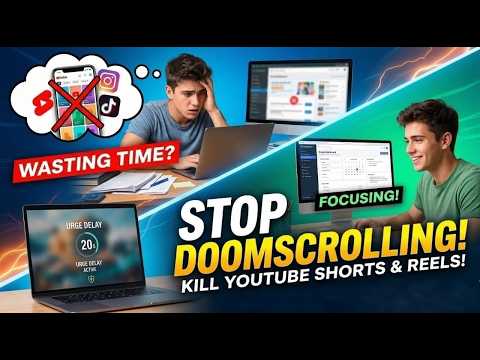
Reclaim your focus. Block distractions at the source — not just the surface. FocusGuard Pro goes beyond basic site blocking. It surgically removes the addictive parts of social media, enforces SafeSearch across all major search engines, and locks your settings so tightly you cannot undo them in a moment of weakness. IN-APP BLOCKING — HIDE THE ADDICTIVE PARTS, KEEP THE USEFUL ONES Stop blocking entire websites. FocusGuard Pro lets you selectively hide the features that hijack your attention. On YouTube, hide Shorts, Comments, Recommendations, and the Home Feed. On Instagram, hide Reels, Stories, the Explore Page, and Suggested Posts. On TikTok, hide Explore, Live, and Search — or activate full greyscale mode. THE URGE DELAY SYSTEM When you attempt to visit a blocked site in Normal Mode, a 20-second reflection countdown intercepts the page. Most users close the tab before the timer even ends — the friction breaks the habit loop before the page loads. STRICT MODE — SETTINGS YOU CANNOT BYPASS Enable Strict Mode when you need ironclad focus. To disable it, you must perfectly type a full discipline paragraph or enter a pre-set secret PIN. There is no shortcut. The friction is the feature. DEEP TIME LOCK Freeze all settings for a fixed duration. No blocklist edits, no mode changes, no exceptions — until the timer reaches zero. ONE-CLICK BLOCK COLLECTIONS Instantly block entire categories of distracting websites with a single toggle — including adult and NSFW content, social media platforms, gaming sites, and video streaming services. You can also build your own custom collections using any keywords you choose. SAFESEARCH ENFORCEMENT Automatically forces safe results on all major search engines — no manual configuration needed per browser or per search engine. ADVANCED CONTROLS Pomodoro timer with smart auto-lock and break enforcement. Advanced scheduling lets you activate blocking on specific days, date ranges, and time windows. Smart limits allow a site for a set number of minutes, then block it for a set period, on repeat. A focus statistics dashboard tracks your daily focus time, streak days, and distraction count. Both light and dark themes are supported with a clean, ad-free interface. PRIVACY 100% offline. No account required. All data stays in your browser's local storage. FocusGuard Pro never transmits your browsing history, blocklist, or any personal information to external servers. No sign-up, no subscription, no tracking of any kind. Whether you are a student preparing for exams, a professional working from home, or someone managing ADHD — FocusGuard Pro gives you the structure to do your best work.
5 out of 52 ratings
Details
- Version1.7.0
- UpdatedJune 7, 2026
- Size1.34MiB
- LanguagesEnglish
- Developer
Email
skycodicofficial@gmail.com - Non-traderThis developer has not identified itself as a trader. For consumers in the European Union, please note that consumer rights do not apply to contracts between you and this developer.
Privacy

This developer declares that your data is
- Not being sold to third parties, outside of the approved use cases
- Not being used or transferred for purposes that are unrelated to the item's core functionality
- Not being used or transferred to determine creditworthiness or for lending purposes