

FocusFence - Website Blocker & Focus Timer

Overview
A calm focus timer with site blocking, schedules and daily limits. Everything runs locally - no account, no tracking.
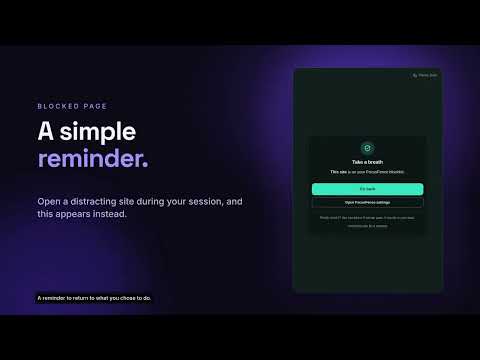
FocusFence helps you stop opening the sites that eat your day, without an account, a subscription or a server. Focus sessions. Pick 15, 25, 45 or 60 minutes and press start. Every site on your blocklist is blocked until the timer ends. A keyboard shortcut (Alt+Shift+F, remappable) starts and stops a session from anywhere. Weekly schedules. Block your list automatically, for example weekdays 09:00 to 12:00 or Friday 22:00 to 06:00. Overnight windows work. Daily limits. Give a site a time budget. When it is used up today, the site is blocked until midnight. A block page that helps. It tells you why a site is blocked, how long until it opens, and gives you a way back. If you truly need the site, a deliberate 10-second pause then a 5-minute pass is available (and counted in your stats). Strict mode turns passes off and makes you type a phrase to end a session early. Calm and private. Light, dark or system theme. Insights show your focus time and blocks for the last 7 days. Export or import your settings as a JSON file. Everything stays on your device: no account, no analytics, no network requests. Only the access it needs. FocusFence asks Chrome for access to a site only when you add that site to your list.
0 out of 5No ratings
Details
- Version0.2.2
- UpdatedNovember 11, 2026
- Size55.71KiB
- LanguagesEnglish (United States)
- DeveloperWebsite
Email
contact@bibekadhikari18.com.np - Non-traderThis developer has not identified itself as a trader. For consumers in the European Union, please note that consumer rights do not apply to contracts between you and this developer.
Privacy

FocusFence - Website Blocker & Focus Timer has disclosed the following information regarding the collection and usage of your data. More detailed information can be found in the developer's privacy policy.
FocusFence - Website Blocker & Focus Timer handles the following:
This developer declares that your data is
- Not being sold to third parties, outside of the approved use cases
- Not being used or transferred for purposes that are unrelated to the item's core functionality
- Not being used or transferred to determine creditworthiness or for lending purposes
Support
For help with questions, suggestions, or problems, visit the developer's support site