

Focuser: Free Website Blocker & Focus Timer

Overview
Free website blocker for Chrome. It pauses a distracting site and asks why you're there and how long you need, then starts a timer.
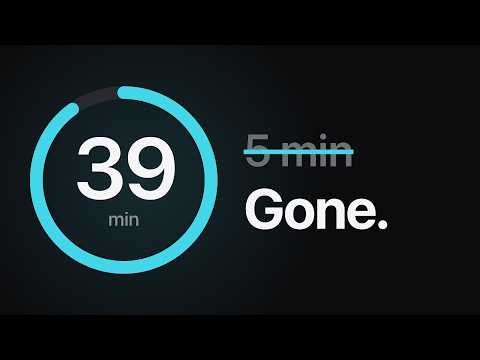
Focuser is a free website blocker for Chrome. When you open a site from your list, it pauses the page and asks whether you need it right now. Say yes, pick a reason and a time limit, and the site is yours until the timer runs out. Then it asks again. How it works • Add the sites you lose time on, such as YouTube, Instagram, TikTok, Reddit or X. Add the current tab with one click or type a domain. A typed domain also covers its subdomains. • When you open one, Focuser pauses the page and asks if you really need it. • If you do, pick a reason and a time limit. A floating timer shows your reason and the time left. • When the time is up, the page is covered again and any video pauses. Features • A question instead of a block page • A reason and a time limit for every visit • A floating countdown with your reason on it • Blocking sessions: block sites only during work hours or on the days you choose • Quick pause shortcut (Ctrl+Shift+Y, Command+Shift+Y on a Mac) for 1, 3 or 5 minutes, with a 15-minute cooldown from the moment you press it • Your own reasons and session lengths • Stats: sessions, closed tabs and time spent • Light and dark theme • Available in English, Español, Français, Deutsch, Português (Brasil), Português (Portugal), Italiano, 日本語, Tiếng Việt Privacy • No account and no sign-up • No tracking. Nothing is sent to our servers • Your settings stay in Chrome storage and sync through your Chrome profile if sync is on Questions or ideas: https://focuser.app/support
5 out of 53 ratings
Details
- Version1.2.1
- UpdatedNovember 8, 2026
- Size341KiB
- Languages9 languages
- DeveloperWebsite
Email
rikiton.shift@gmail.com - Non-traderThis developer has not identified itself as a trader. For consumers in the European Union, please note that consumer rights do not apply to contracts between you and this developer.
Privacy

Focuser: Free Website Blocker & Focus Timer has disclosed the following information regarding the collection and usage of your data. More detailed information can be found in the developer's privacy policy.
Focuser: Free Website Blocker & Focus Timer handles the following:
This developer declares that your data is
- Not being sold to third parties, outside of the approved use cases
- Not being used or transferred for purposes that are unrelated to the item's core functionality
- Not being used or transferred to determine creditworthiness or for lending purposes
Support
For help with questions, suggestions, or problems, please open this page on your desktop browser