


Overview
Visual Planner for Google Tasks
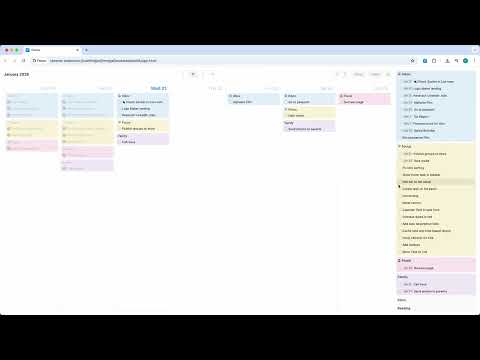
Focus – Visual Planner for Google Tasks I've been managing my tasks in Google Tasks for a long time, but I was missing a simple way to plan them visually with drag & drop. That's why I created Focus – a clean interface with no clutter, just your tasks and calendar. 📅 Three View Modes - Week view – tasks organized by days - Month view – full month for long-term planning - Tasks view – all your task lists in the sidebar 🎯 Drag & Drop Planning Drag tasks from your lists to any day or between days. Plan your week intuitively, without clicks and menus. ✏️ Complete Task Management Create, edit, and delete tasks and lists. Check off tasks directly in the calendar. 🔄 Google Tasks Sync All changes are saved instantly. Access your tasks on your phone, in Gmail, and in Focus simultaneously. 🔒 Full Privacy Zero external servers. Data is stored only in your browser and Google account. No analytics or tracking. Why Focus: ✓ Minimalist design without distractions ✓ Opens instantly from the browser toolbar ✓ Free, no ads or subscriptions ✓ Secure OAuth authentication via Google Coming soon: Google Calendar integration for event planning
0 out of 5No ratings
Details
- Version1.2
- UpdatedJanuary 22, 2026
- Size287KiB
- LanguagesEnglish
- DeveloperWebsite
Email
sudokey@gmail.com - Non-traderThis developer has not identified itself as a trader. For consumers in the European Union, please note that consumer rights do not apply to contracts between you and this developer.
Privacy

Focus has disclosed the following information regarding the collection and usage of your data. More detailed information can be found in the developer's privacy policy.
Focus handles the following:
This developer declares that your data is
- Not being sold to third parties, outside of the approved use cases
- Not being used or transferred for purposes that are unrelated to the item's core functionality
- Not being used or transferred to determine creditworthiness or for lending purposes