


개요
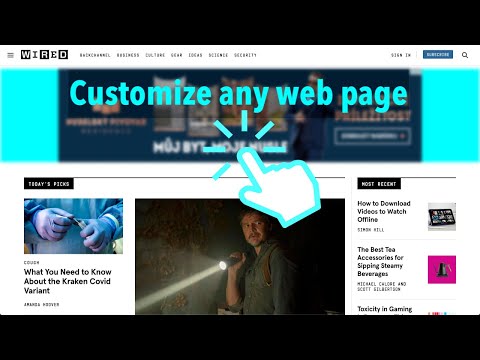
Customize any web page for your needs
A versatile tool for customizing web pages, allowing you to hide selected elements by clicking on them as you hover your mouse over the page. Unlike other focus mode extensions, this tool works on any website. A few examples of use cases: - clean up a flashy or cluttered UI and keep only important content on your screen - clean up a web page before printing or taking a screenshot - unhide content behind blocking dialogs - remove distractors (ads, auto play videos, annoying popups, huge headers and banners, etc.) How to use: - Install the extension - Activate the extension (click its icon) when you wish to adjust a web page - Move your mouse to the element you want to hide - Click on selected element and watch it disappear - Deactivate the extension (click its icon again) to continue normal browsing A few facts about the tool: - It is small and simple, free and open-source - It does not collect any information and does not interact with internet - It is not active while you are surfing and does not consume any resources unlike adblockers - It was inspired by a same-name Google example Due to the static linking in the manifest, the Chrome Web Store might display a security warning. However, this method is the most efficient and reliable way to grant users full control over the content of any website. Enjoy!
5점 만점에 4점평점 4개
세부정보
- 버전1.0.9
- 업데이트됨2024년 8월 2일
- 제공Lean Code
- 크기11.8KiB
- 언어English
- 개발자
이메일
lean.code@outlook.com - 비판매자판매자로 식별되지 않은 개발자입니다. 유럽 연합에 거주하는 소비자의 경우, 이 개발자와 체결한 계약에 대해서는 소비자 권리가 적용되지 않을 수 있음을 유의해야 합니다.
개인정보 보호
개발자가 사용자 데이터에 관해 다음과 같이 선언했습니다
- 승인된 사용 사례를 제외하고 서드 파티에 판매하지 않음
- 항목의 핵심 기능과 관련 없는 목적으로 사용하거나 전송하지 않음
- 신용도 판단 또는 대출 목적으로 사용하거나 전송하지 않음