


Prezentare generală
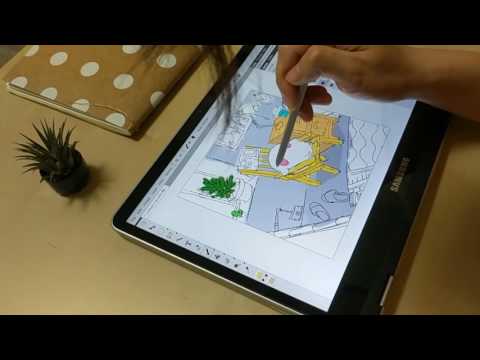
Pro Photo Editor with Google Drive. Paint with Touchscreen or Stylus Pen. Support Layers, Paths, and Multiple Files.
Professional Photo Editor with Google Drive integration. Support touchscreen and stylus pen. 1. Basic: resize, crop, flip, image adjustments, apply filters, add stickers, support layers, paths, multiple files and pixel art. 2. Layer Styles: drop shadow, color and gradient overlays. 3. Transform: rotate, scale, move. 4. Text: insert and edit your text. Many beautiful fonts. 5. Pen: create shapes or paths by bezier curve. 6. Painting: brush, pencil, eraser tools. 7. Selection: copy, cut, delete, fill, and stroke. 8. Flood Fill/Gradient: fill area with single color or gradient. 9. Eyedropper: sample colors from image. 10. Tuning: blur, sharpen, and smudge. 11. Darkroom: dodge and burn. 12. Works with Google Drive. -------------- Release notes: v3.5.1 1. Improve: Control layer list in the sidebar more smoothly. 2. Improve: Better user interface for touchscreen/stylus pen. Release notes: v3.5.0 1. New: Support touchscreen and stylus pen. 2. Improve: Canvas tab is added to sidebar for quick navigation. 3. Many small bugs fix and improvements. Release notes: v3.0.0 1. New: Support multiple files. 2. New: Support account switch. 3. Improve: Open shared file from Google Drive. 4. Improve: Auto-scrolling desktop in some critical scenarios. 5. Many small bugs fix and improvements.
2,8 din 519 evaluări
Detalii
- Versiune3.5.1.0
- Data ultimei actualizări4 octombrie 2017
- Dimensiune10.81KiB
- Limbi4 limbi
- DezvoltatorSite
E-mail
contact@piconion.com - Non-comerciantDezvoltatorul nu s-a identificat drept comerciant. Pentru consumatorii din Uniunea Europeană, reține că este posibil ca drepturile consumatorilor să nu se aplice contractelor încheiate între tine și acest dezvoltator.
Confidențialitate

Asistență
Pentru ajutor în legătură cu întrebări, sugestii sau probleme, deschide această pagină în browserul pentru computer