

Small Tester - No-Code AI Test Automation for Manual Test Cases

Overview
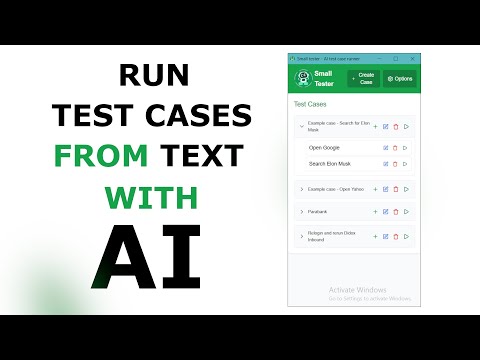
Write steps and expected results in plain words. AI runs them in your own browser tab and says pass or fail. No recording, no code.
Small Tester runs your manual test cases for you. Write each step and what should happen, in plain words, press Run, and the AI does it in your own browser tab. You get a pass or a fail for the case. What makes it different - No recording. You write steps the way you would for a colleague, so there is nothing to re-record when the page changes. - Works in your own tab: production, staging or localhost, including pages where you are already signed in. - Codeless QA testing: no Selenium, Playwright or Cypress scripts to learn, and no cloud platform to set up. - Free to start. Sign in with a free account and get credits every month. You can also bring your own AI key. Which input works best One test case per run: a few steps, each with its expected result. Long test plans and checklists of many areas are still being improved, so split them into separate cases for the clearest result. Getting started 1. Open Small Tester and sign in with a free account. 2. Create a case: add steps, each with an action and its expected result. Any language works. 3. Open the page you want to check and press Run. 4. Read the result. If a step was unclear, reword it and run again. The same agent can also do routine browser tasks you describe in plain words, as a no-code web automation helper. Plans with more credits and more AI models: https://avrmsoft.com/smalltester
0 out of 5No ratings
Details
- Version1.4.0
- UpdatedNovember 14, 2026
- FeaturesOffers in-app purchases
- Offered byavrm.soft
- Size1.4MiB
- Languages34 languages
- Developer
Email
avrm.soft@gmail.com - Non-traderThis developer has not identified itself as a trader. For consumers in the European Union, please note that consumer rights do not apply to contracts between you and this developer.
Privacy

Small Tester - No-Code AI Test Automation for Manual Test Cases has disclosed the following information regarding the collection and usage of your data. More detailed information can be found in the developer's privacy policy.
Small Tester - No-Code AI Test Automation for Manual Test Cases handles the following:
This developer declares that your data is
- Not being sold to third parties, outside of the approved use cases
- Not being used or transferred for purposes that are unrelated to the item's core functionality
- Not being used or transferred to determine creditworthiness or for lending purposes
Support
For help with questions, suggestions, or problems, visit the developer's support site