

FluentHub: Videos, Stories, AI Tutor & Flashcards
10 ratings
)
Overview
Learn from videos & stories, practice with AI, review with flashcards. Dual subtitles on YouTube & Netflix.
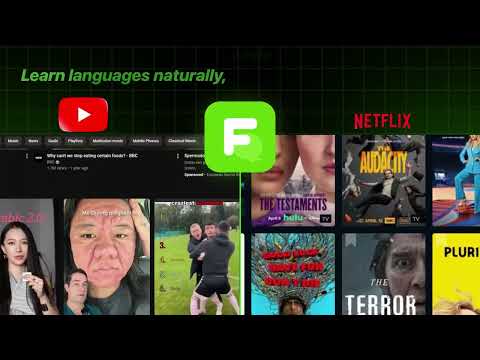
Watch YouTube and Netflix in the language you're learning—without pausing to look things up. FluentHub adds dual subtitles (learning language + your language), AI-powered translations, and tap-to-learn vocabulary on the same screen as the video. Understand dialogue faster and remember words from the shows you already love. HOW IT WORKS 1. Install FluentHub and open a YouTube or Netflix video. 2. Turn on dual subtitles and pick your learning + translation languages. 3. Tap any word in the subtitles for instant translation, collocations, and AI context. FEATURES • Dual subtitles on YouTube and Netflix • AI subtitle translation (smarter than basic auto-translate) • Tap or hover words for definitions, usage, grammar notes, and examples • Transcript panel: read along, frequent words, and keywords synced to playback • Collocations and phrase-level help tied to the current line • Multi-word selection for phrases and expressions • CEFR-style level settings and word familiarity tracking • Shadowing practice: replay lines, record yourself, and compare pronunciation • Light and dark theme WHO IT'S FOR Self-directed learners who learn best from real videos—not textbooks. If you use Language Reactor or similar tools, FluentHub offers a modern AI vocab layer on top of dual-sub viewing. FREE TO START Try core subtitle and translation features free. Sign in at fluenthub.app to unlock premium analysis and higher usage limits. FluentHub works on YouTube and Netflix in Chrome. Your video, your pace, your vocabulary—built from what you watch.
4.9 out of 510 ratings
Details
- Version2.1.26
- UpdatedOctober 10, 2026
- FeaturesOffers in-app purchases
- Offered byFluentHub
- Size483KiB
- LanguagesEnglish
- Developer
Email
Contact@fluenthub.app - Non-traderThis developer has not identified itself as a trader. For consumers in the European Union, please note that consumer rights do not apply to contracts between you and this developer.
Privacy

FluentHub: Videos, Stories, AI Tutor & Flashcards has disclosed the following information regarding the collection and usage of your data. More detailed information can be found in the developer's privacy policy.
FluentHub: Videos, Stories, AI Tutor & Flashcards handles the following:
This developer declares that your data is
- Not being sold to third parties, outside of the approved use cases
- Not being used or transferred for purposes that are unrelated to the item's core functionality
- Not being used or transferred to determine creditworthiness or for lending purposes
Support
For help with questions, suggestions, or problems, please open this page on your desktop browser