


概述
Automatically export Webflow code to GitHub repositories.
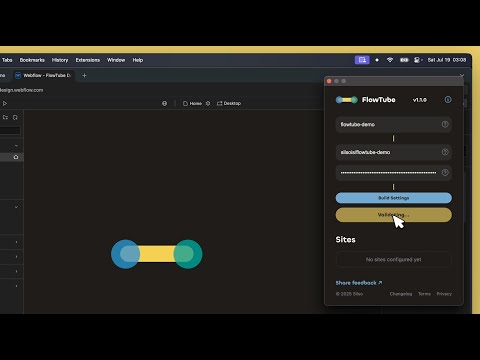
Secure Webflow-to-GitHub Automator. Export your code in the Designer and let FlowTube handle the deployment in seconds. Features: ✔️ Instant Webflow .zip downloads detection ✔️ Support for multiple connections ✔️ Custom commit message ✔️ Set GitHub repository branch ✔️ Include/exclude all file types (JS, CSS, HTML, images, videos, documents, fonts) and set their target path ✔️ Exclude selected files (e.g. style-guide.html, 401.html) ✔️ Exclude selected directories (e.g. /test, /internal) ✔️ Auto-generate robots.txt with customizable content ✔️ Auto-generate sitemap.xml based on your pages (customizable) ✔️ Generate Cloudflare Workers files (optional) ✔️ Compatible with modern frameworks (Next.js, Nuxt, Vue, Astro, and more) ✔️ Secure GitHub integration over HTTPS ✔️ Encrypted token handling - plaintext never leaves your device ✔️ Live upload status updates Quick setup: 1. Generate a GitHub token with Repository permission "Contents" scope & 'Read and write' permissions in Settings → Developer settings → Personal access tokens → Fine-grained tokens 2. Webflow subdomain: Your site's subdomain (e.g. "site-name" from "site-name.webflow.io") 3. GitHub project: The target repository (e.g. "username/repository") 4. Configure Build Settings (optional - see features above) 8. Add your site connection Click "Export code" in Webflow - FlowTube handles the deployment Perfect for: → Webflow designers managing client projects → Developers building CI/CD pipelines with Cloudflare Workers → Teams requiring secure Webflow-to-GitHub synchronization → Anyone who wants to self-host their Webflow sites → Sites needing automated SEO files (robots.txt, sitemap.xml) ⚙️ flowtu.be/how-to-use 📋 flowtu.be/changelog ✉️ hello@flowtu.be Enjoying FlowTube? Share a review :) Support development ☕ ko-fi.com/silso *FlowTube is not affiliated with Webflow, GitHub, or Cloudflare *You need a Webflow subscription plan to access code exports
4.2 星(5 星制)5 个评分
详情
隐私权
该开发者已声明,您的数据:
- 不会因未获批准的用途出售给第三方
- 不会为实现与产品核心功能无关的目的而使用或转移
- 不会为确定信用度或放贷目的而使用或转移
支持
若有任何疑问、建议或问题,请在桌面浏览器中打开此页面