

N8N Snippets

Overview
Storing and reusing your n8n/make workflows has never been easier.
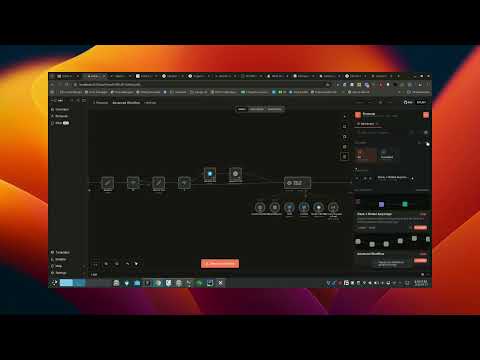
Save, organise, and instantly reuse n8n workflow snippets right inside the canvas. Your personal workflow library, always one click away. Flowsnip Library is a productivity extension for n8n power users. It adds a personal snippet library directly inside the n8n canvas so you can capture, organise, and reuse your best workflows without ever leaving the editor. ────────────────────────────────────── SAVE WORKFLOWS IN SECONDS ────────────────────────────────────── Select nodes on the n8n canvas and save them as a named snippet with a description, tags, and folder all from the Snipline side pane. You can also right-click any n8n page and choose "Save Workflow to Snipline" to capture the current workflow instantly. ────────────────────────────────────── INSERT NODES WITH ONE CLICK ────────────────────────────────────── Browse your library and hit "Insert into workflow" to paste a snippet's nodes directly onto the active canvas. No copy-pasting JSON, no manual re-wiring your nodes appear exactly where you need them. ────────────────────────────────────── KEEP THINGS ORGANISED ────────────────────────────────────── Create colour-coded folders (Engineering, Sales, Support whatever fits your team) and move snippets between them at any time. Star your most-used snippets for instant access at the top of your library. ────────────────────────────────────── SEARCH AND FILTER ────────────────────────────────────── Full-text search across snippet titles, descriptions, and tags. Switch between a compact list view and a card view depending on how you prefer to browse. ────────────────────────────────────── YOUR DATA STAYS LOCAL ────────────────────────────────────── All snippets and folders are stored in your browser's local storage. Nothing is sent to an external server. Your workflows stay yours. ────────────────────────────────────── HOW TO USE ────────────────────────────────────── 1. Open any n8n workflow (cloud or self-hosted on localhost:5678). 2. Click the Snipline icon that appears in the n8n toolbar. 3. Save your first snippet, or browse your existing library. 4. Hit "Insert into workflow" to drop nodes onto the canvas.
0 out of 5No ratings
Details
- Version0.1.5
- UpdatedJune 4, 2026
- Offered byokeowoaderemi
- Size65.92KiB
- LanguagesEnglish
- DeveloperRetani Consults
No 2 Beckly Avenue Millennium estate Gbagada Lagos, Lagos 100001 NGEmail
okeowoaderemi@gmail.com - Non-traderThis developer has not identified itself as a trader. For consumers in the European Union, please note that consumer rights do not apply to contracts between you and this developer.
Privacy

This developer declares that your data is
- Not being sold to third parties, outside of the approved use cases
- Not being used or transferred for purposes that are unrelated to the item's core functionality
- Not being used or transferred to determine creditworthiness or for lending purposes
Support
For help with questions, suggestions, or problems, please open this page on your desktop browser