

Flow Bulk — Bulk Veo & Image Automation
5 ratings
)
Overview
Paste many prompts and bulk-generate videos & images on Google Flow. Sign in required.
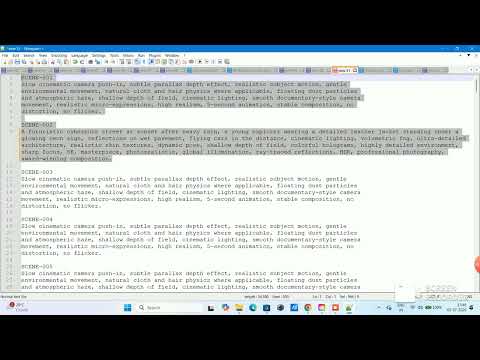
Flow Bulk turns Google Flow into a bulk generator. Paste dozens of prompts, press Start, and Flow Bulk automatically fills each prompt, submits it, waits for the result, and downloads it — so you can batch-create AI videos and images instead of generating them one at a time. Built for creators who use Google Flow with the Veo and Nano Banana models and need to generate at scale. KEY FEATURES • Bulk prompts — paste many prompts (separated by a blank line); each becomes an editable item in your queue • Hands-free automation — auto fill, submit, wait, and download for every prompt • All Flow modes — text-to-video, text-to-image, image-to-video, and frames-to-video • Auto-download — every generated video and image is saved automatically • Queue controls — start, pause, resume, and stop anytime • Live progress — track the status of each prompt as it runs HOW IT WORKS 1. Install and pin Flow Bulk, then open the side panel. 2. Open your Google Flow project and sign in with Google. 3. Paste your prompts, choose your settings, and press Start. 4. Flow Bulk runs the queue inside your own Google Flow account and downloads the results. PRICING • Free — 50 prompts to try it out • Pro — unlimited prompts for ₹299/month, cancel anytime WHO IT'S FOR Video creators, marketers, agencies, designers, and AI artists who generate many clips or images on Google Flow with Veo or Nano Banana and want to save hours of manual clicking. NOTE Flow Bulk is an independent tool and is not affiliated with, endorsed by, or sponsored by Google. "Google Flow", "Veo", and "Nano Banana" are trademarks of their respective owners and are referenced only to describe compatibility. You run all generations in your own Google account and are responsible for complying with Google's terms of service.
5 out of 55 ratings
Details
- Version0.1.0
- UpdatedJuly 4, 2026
- Offered byagnihotri.sanchit
- Size90.19KiB
- LanguagesEnglish
- Developer
Email
agnihotri.sanchit@gmail.com - Non-traderThis developer has not identified itself as a trader. For consumers in the European Union, please note that consumer rights do not apply to contracts between you and this developer.
Privacy

Flow Bulk — Bulk Veo & Image Automation has disclosed the following information regarding the collection and usage of your data. More detailed information can be found in the developer's privacy policy.
Flow Bulk — Bulk Veo & Image Automation handles the following:
This developer declares that your data is
- Not being sold to third parties, outside of the approved use cases
- Not being used or transferred for purposes that are unrelated to the item's core functionality
- Not being used or transferred to determine creditworthiness or for lending purposes
Support
For help with questions, suggestions, or problems, please open this page on your desktop browser