

Flow Automation - Bulk Prompts & Auto Downloads
1 rating
)
Overview
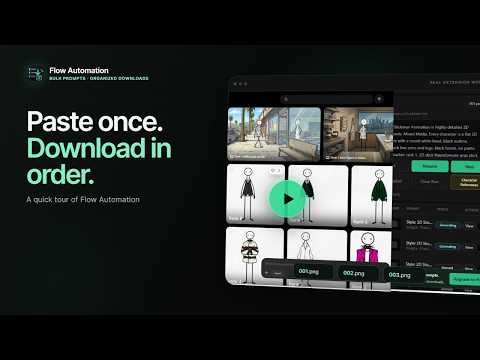
Paste Flow prompts in bulk, auto-download images as 001, 002, 003, and retry failures without losing order.
Flow Automation helps Google Flow creators run prompt batches, keep characters consistent, and download generated images in the correct order. WHAT IT DOES • Queue many prompts at once. • Track every row through Queued, Generating, Done, or Failed. • Download finished images automatically as 001, 002, 003 and keep those numbers stable when retrying. • Use Character References with saved 'names' for more consistent characters. • Pause, resume, stop, clear, view, edit, or retry queue items from the side panel. HOW TO USE IT 1. Open a project in Google Flow, then open Flow Automation from the Chrome toolbar. 2. Paste prompts into the side panel. Put one blank line between prompts so each prompt becomes its own numbered row. 3. Optional: open Character References, sync your Flow characters, save easy names, and use those names directly in your prompts. 4. Press Start. You can Pause, Resume, or Stop while the queue runs. 5. Watch each row's status. Completed images download automatically. If a row fails, press View to check or edit its prompt, then use Retry Failed without losing its original number. FIRST-TIME HELP A simple four-step tutorial appears the first time you open the extension. It highlights the prompt box, run controls, result queue, downloads, and Settings. You can skip it or replay it anytime from Settings. FREE AND PRO Free includes 30 Flow Automation prompt submissions per day. Pro removes Flow Automation's daily prompt submission limit for active subscribers. PRIVACY The extension does not send prompts, generated media, Flow URLs, cookies, Google tokens, or Google Flow account data to the licensing backend. Licensing checks use only install, account, plan, and billing entitlement data. Flow Automation is independent. It is not made by, endorsed by, sponsored by, or affiliated with Google.
5 out of 51 rating
Details
- Version0.0.2
- UpdatedJuly 22, 2026
- Offered byDLI Media
- Size176KiB
- LanguagesEnglish
- DeveloperAbdalla Mohamed Ahmed
Lebuhraya Bukit Jalil Parkhill Residence Kuala Lumpur, Kuala Lumpur 57000 MYEmail
info@flowautomation.spacePhone
+60 11-6398 3255 - TraderThis developer has identified itself as a trader per the definition from the European Union and committed to only offer products or services that comply with EU laws.
Privacy

Flow Automation - Bulk Prompts & Auto Downloads has disclosed the following information regarding the collection and usage of your data. More detailed information can be found in the developer's privacy policy.
Flow Automation - Bulk Prompts & Auto Downloads handles the following:
This developer declares that your data is
- Not being sold to third parties, outside of the approved use cases
- Not being used or transferred for purposes that are unrelated to the item's core functionality
- Not being used or transferred to determine creditworthiness or for lending purposes
Support
For help with questions, suggestions, or problems, visit the developer's support site