Item logo image for FloMark

FloMark

5.0(

2 ratings

)
Item media 6 (screenshot) for FloMark
Item video thumbnail
Item media 2 (screenshot) for FloMark
Item media 3 (screenshot) for FloMark
Item media 4 (screenshot) for FloMark
Item media 5 (screenshot) for FloMark
Item media 6 (screenshot) for FloMark
Item video thumbnail
Item media 2 (screenshot) for FloMark
Item media 3 (screenshot) for FloMark
Item media 4 (screenshot) for FloMark
Item media 5 (screenshot) for FloMark
Item media 6 (screenshot) for FloMark

Overview

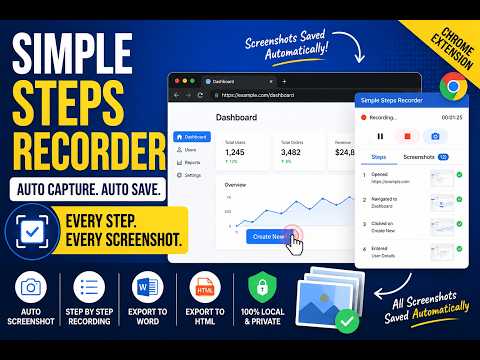
Record browser interactions with screenshots and generate step-by-step documentation for QA.

FloMark helps QA testers, support teams, and trainers document browser workflows effortlessly. How it works: • Click "Start Recording" — the extension captures your interactions only while recording is active. • Every click, dropdown change, and Enter press is automatically captured with a screenshot. • Optionally record voice narration while testing. Each voice clip is limited to 1 minute and is associated with the corresponding step and screenshot. • Pause, resume, review, reorder, delete, or drag and drop steps before exporting. • Protect sensitive information using Privacy Mode, including blurring, pixelating, or blacking out selected areas. • Highlight multiple regions of screenshots to emphasize important information. • Export your documentation as HTML or Microsoft Word (.docx). **Privacy: ** All screenshots, recordings, and recorded data are stored locally on your device using Chrome's built-in storage. No data is transmitted, uploaded, or shared with any server or third party. Voice recording is optional and starts only when you explicitly enable it. You have full control — start, pause, resume, stop, review, edit, and delete your recordings at any time. Shortcut can be used for entire page, partial page screenshot and enable privacy mode. **Permissions justification:** • <all_urls> — Required so the extension can capture interactions on websites you visit during testing • unlimitedStorage — Provides additional local storage capacity for larger recording sessions, with an application-enforced maximum of 100 MB • storage — The storage permission is used to save recording sessions, captured screenshots, recorded browser steps, etc.

Details

  • Version
    1.4.7
  • Updated
    September 25, 2026
  • Offered by
    Pradeep Mondal
  • Size
    792KiB
  • Languages
    English
  • Developer
    Personal development
    Male nellasandra villege Banglore, Karnataka 560105 IN
    Email
    pradeepmondol1996@gmail.com
  • Non-trader
    This developer has not identified itself as a trader. For consumers in the European Union, please note that consumer rights do not apply to contracts between you and this developer.

Privacy

Manage extensions and learn how they're being used in your organization

FloMark has disclosed the following information regarding the collection and usage of your data. More detailed information can be found in the developer's privacy policy.

FloMark handles the following:

User activity
Website content

This developer declares that your data is

  • Not being sold to third parties, outside of the approved use cases
  • Not being used or transferred for purposes that are unrelated to the item's core functionality
  • Not being used or transferred to determine creditworthiness or for lending purposes

Related

Steps Recorder

5.0

Record browser interactions as annotated screenshots and export as reports

QA Mind Recorder

5.0

Record browser journeys and turn them into AI-ready QA test cases and defect reports in QAMind.

Snaption - Scribe & Tango Alternative for Notion

5.0

Capture browser workflows as editable Notion SOPs, how-to guides, and step-by-step process docs with screenshots.

ScribeIt - SOP & Step-by-Step Guide Maker

5.0

Record any workflow in your browser and turn it into a step-by-step guide with screenshots. Export to PDF or share a link.

TestBot Recorder

5.0

Record browser interactions and capture web elements with smart, validated locators for test automation.

SOPFlow Recorder

0.0

Record any browser workflow once. SOPFlow turns the captured clicks and screenshots into an editable Standard Operating Procedure.

Wayfare – SOP & Workflow Recorder

0.0

Record browser workflows and auto-generate visual step-by-step SOPs with screenshots.

QANode Recorder

5.0

Record web interactions and export QANode web-flow steps to QANode system.

Clicktorial: Step-by-Step Guides, Tutorials & Screenshots

5.0

Auto-capture any browser workflow into a step-by-step guide with annotated screenshots. AI descriptions and multi-format export.

流程录制

5.0

记录网页操作和步骤截图,生成便于理解和使用的流程文档。

9AI QA Assistant

0.0

AI-powered QA assistant: test checklists from user stories, Playwright locator & POM export, screenshot capture, screen recording.

Action Replay

4.4

Automate browser interactions by recording and replaying user actions.

Steps Recorder

5.0

Record browser interactions as annotated screenshots and export as reports

QA Mind Recorder

5.0

Record browser journeys and turn them into AI-ready QA test cases and defect reports in QAMind.

Snaption - Scribe & Tango Alternative for Notion

5.0

Capture browser workflows as editable Notion SOPs, how-to guides, and step-by-step process docs with screenshots.

ScribeIt - SOP & Step-by-Step Guide Maker

5.0

Record any workflow in your browser and turn it into a step-by-step guide with screenshots. Export to PDF or share a link.

TestBot Recorder

5.0

Record browser interactions and capture web elements with smart, validated locators for test automation.

SOPFlow Recorder

0.0

Record any browser workflow once. SOPFlow turns the captured clicks and screenshots into an editable Standard Operating Procedure.

Wayfare – SOP & Workflow Recorder

0.0

Record browser workflows and auto-generate visual step-by-step SOPs with screenshots.

QANode Recorder

5.0

Record web interactions and export QANode web-flow steps to QANode system.

Google apps