

FlipHTML5 | AnyFlip Downloader & Converter to PDF, EPUB & DOCX

Overview
Convert FlipHTML5 and AnyFlip flipbooks to PDF, EPUB, or DOCX. Download online flipbooks and save them offline permanently
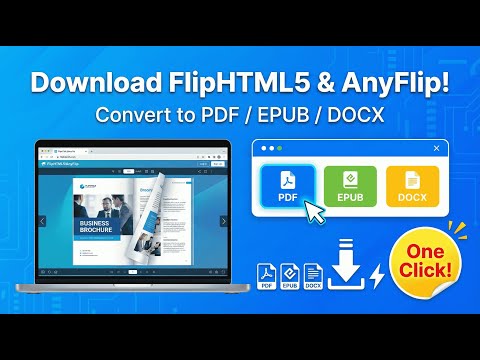
🌟 FlipHTML5 & AnyFlip Converter: PDF, EPUB & DOCX Downloader Convert FlipHTML5 and AnyFlip online flipbooks to PDF, EPUB, and DOCX with one click. Extract editable text, save flipbooks offline, and keep your documents permanently. ⸻ 🚀 Features • Supports both FlipHTML5 & AnyFlip • Export to PDF / EPUB / DOCX • Extracts real text (searchable, copyable, editable) — not just images • Save online flipbooks for offline reading & long-term backup • Simple, fast, and reliable workflow • Works with textbooks, courses, magazines, catalogs, training materials, and more ⸻ 🎯 Who It’s For • 📘 Students saving course materials • 📚 Teachers exporting digital textbooks • 🧑💻 Researchers and content creators • 🏢 Companies archiving training manuals & SOPs • 📖 EPUB readers (Kindle / Kobo / mobile apps) ⸻ 📥 How It Works 1. Open any FlipHTML5 or AnyFlip flipbook 2. Click the extension icon in Chrome 3. Choose PDF / EPUB / DOCX 4. The tool will extract and download your document Fast, simple, and beginner-friendly. ⸻ 💡 Why Choose This Tool? Most tools only capture screenshots or image-based pages. This converter extracts true structured text, giving you a real document that can be: • Edited • Copied • Searched • Printed • Archived • Stored for long-term use Ideal for studying, teaching, working, and content management. ⸻ ⚠ Important Notes • ❌ Does not bypass DRM or paid content restrictions • ✔ Only exports content you already have access to • 🔐 Please review our privacy policy for data usage and permissions ⸻ 🛠 What’s New • Added full AnyFlip support • Improved text extraction for PDF/EPUB • Better compatibility with new FlipHTML5 templates • Overall performance and stability improvements ⸻ 🔧 Recommended Screenshot Text • “Convert FlipHTML5 & AnyFlip to PDF / EPUB / DOCX” • “Editable text — not just images” • “For students, teachers, and professionals” • “Fast · Accurate · Secure” ⸻ 📣 Call to Action Install now and convert any FlipHTML5 or AnyFlip flipbook to PDF, EPUB, or DOCX instantly! ⸻
2.3 out of 514 ratings
Details
- Version1.0.14
- UpdatedAugust 27, 2026
- Size904KiB
- Languages20 languages
- DeveloperWebsite
Email
exportmyinfohq@gmail.com - Non-traderThis developer has not identified itself as a trader. For consumers in the European Union, please note that consumer rights do not apply to contracts between you and this developer.
Privacy

This developer declares that your data is
- Not being sold to third parties, outside of the approved use cases
- Not being used or transferred for purposes that are unrelated to the item's core functionality
- Not being used or transferred to determine creditworthiness or for lending purposes