

trace-pilot-chrome

Overview
trace-pilot-chrome
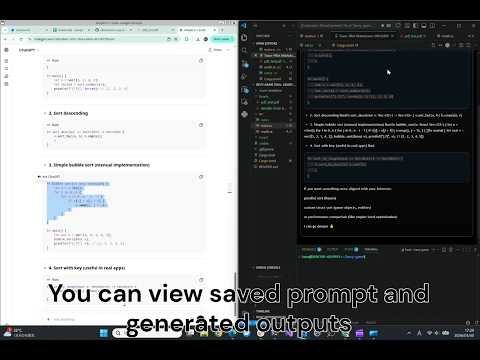
trace-pilot-chrome is a Chrome extension that preserves the provenance of copied text. Trace-Pilot captures the text you copy from Chrome, stores the original source data in a Git-backed repository, and adds a trace marker to the clipboard. When the text is later pasted into VS Code, that marker can be resolved back to the original source so you can inspect where the content came from and recover its surrounding context. This helps teams keep copied code and text explainable, auditable, and easier to maintain over time. Supported Sources The extension currently supports content copied from: ChatGPT Google Sheets PDF pages opened in Chrome Static web pages How It Works 1. Open a supported page in Chrome. 2. Select the text or cells you want to preserve. 3. Right-click and choose a Trace-Pilot context menu item. 4. Select the target Git repository. 5. The extension captures the selected content together with its source data. 6. The data is stored through the native host in a Git-backed repository. 7. A trace marker is added to the clipboard along with the copied text. 8. When you paste the result into VS Code, the marker can be used to trace the content back to its origin. Why Use It Copied text and code often lose their source context. Trace-Pilot helps preserve that context by storing: " Where the text came from " The original surrounding data " A stable reference that can be resolved later It is also more resilient to link rot because the source data is preserved in your own Git repository rather than relying only on external URLs. This is especially useful for: " Research workflows " Note-taking " AI-assisted writing and coding " Long-lived software projects Install Native Host On Linux The Chrome extension talks to a local native messaging host named `trace_pilot_host_chrome`. If you publish a release archive such as `trace-pilot-host-linux-x86_64.tar.gz`, the Linux install flow can be: ```bash wget https://github.com/otinpan/trace-pilot-chrome/releases/latest/download/trace-pilot-host-linux-x86_64.tar.gz tar xzf trace-pilot-host-linux-x86_64.tar.gz cd trace-pilot-host-linux-x86_64 chmod +x install.sh EXTENSION_ID=<your-chrome-extension-id> ./install.sh ``` `install.sh` installs the native host binary into `~/.local/share/trace-pilot-host/` and writes the native messaging manifest to: ```text ~/.config/google-chrome/NativeMessagingHosts/trace_pilot_host_chrome.json ``` The extension ID is required because Chrome native messaging manifests must declare the allowed origin explicitly. GitHub URL https://github.com/otinpan/trace-pilot-chrome
0 out of 5No ratings
Details
- Version1.2.2
- UpdatedApril 28, 2026
- Offered byotinpan
- Size124KiB
- LanguagesEnglish (United States)
- DeveloperSHOICHI HASEGAWA
小菅2丁目10−22 葛飾区, 東京都 124-0001 JPEmail
hasesyou7531@gmail.comPhone
+81 80-9350-2359 - TraderThis developer has identified itself as a trader per the definition from the European Union and committed to only offer products or services that comply with EU laws.
Privacy

This developer declares that your data is
- Not being sold to third parties, outside of the approved use cases
- Not being used or transferred for purposes that are unrelated to the item's core functionality
- Not being used or transferred to determine creditworthiness or for lending purposes