

FlashCaption - Live Captions & Translation for Any Livestream or Video
31 ratings
)
Overview
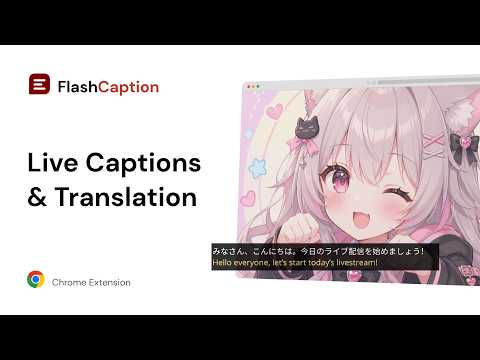
Real-time AI captions and translation for any livestream or video. Watch YouTube, Twitch, and more with instant on-screen subtitles.
⚡ Ever watched a stream, match, or video in a language you don't speak and missed half of it? FlashCaption brings real-time AI captions and live translation right into your browser, so you understand any livestream or video as it happens. Whatever the language, you stay in sync. It works where you already watch: YouTube, Twitch, and most video sites, as well as webinars and meetings. Turn it on, and captions appear instantly. No setup, no switching tabs. --- 🌟 Real-time captions & translation * Generate live captions as people speak * Instantly translate subtitles into your preferred language * Follow foreign streamers, anime, K-content, and international sports — and catch every word * Keep up with fast speech and multilingual chats without pausing or rewinding --- ⚡ Fast, private, and built for live * Low-latency captions that keep pace with live audio * Privacy-first: we don't store or exploit your data * Works directly in your browser — no app, no complicated setup * Great for gaming streams, online courses, and foreign content --- ⚙️ Flexible and customizable * Overlay captions directly on any video * Adjust font size, color, and position * Switch languages anytime * One-click toggle on or off --- FlashCaption is built for stream watchers, language learners, and anyone who follows creators or content in another language. Install it, turn it on, and just watch. 🏠 Home: https://flashcaption.com 💬 Questions or feedback: https://flashcaption.com/contact
4.5 out of 531 ratings
Details
- Version1.25.0
- UpdatedAugust 14, 2026
- FeaturesOffers in-app purchases
- Offered bymani
- Size57.88KiB
- Languages19 languages
- DeveloperMG Media LLC
16192 Coastal Hwy Lewes, DE 19958-3608 USEmail
mani@themgmedia.com - Non-traderThis developer has not identified itself as a trader. For consumers in the European Union, please note that consumer rights do not apply to contracts between you and this developer.
Privacy

FlashCaption - Live Captions & Translation for Any Livestream or Video has disclosed the following information regarding the collection and usage of your data. More detailed information can be found in the developer's privacy policy.
FlashCaption - Live Captions & Translation for Any Livestream or Video handles the following:
This developer declares that your data is
- Not being sold to third parties, outside of the approved use cases
- Not being used or transferred for purposes that are unrelated to the item's core functionality
- Not being used or transferred to determine creditworthiness or for lending purposes
Support
For help with questions, suggestions, or problems, please open this page on your desktop browser