

Fix English — Keep your voice

Overview
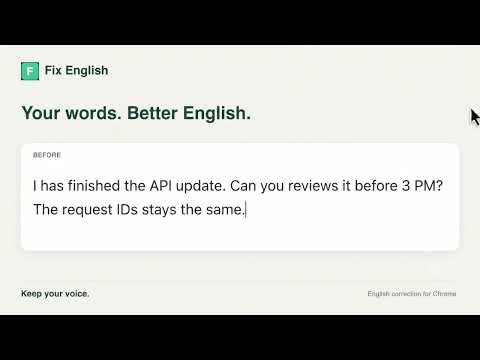
Select text, press Cmd/Ctrl+Shift+E, and fix it in place without changing your voice.
Fix English helps you correct English without losing your voice. Select text in an editable field, then click the extension button, choose “Fix English” from the right-click menu, or press Cmd+Shift+E on Mac / Ctrl+Shift+E on Windows and Linux. Fix English makes targeted grammar, spelling, punctuation, and natural phrasing corrections. It aims to preserve your meaning, tone, technical terms, names, numbers, links, and structure. The correction replaces the selected text in place, with Undo briefly available afterward. Fix English only sends text when you explicitly request a correction. It does not continuously read everything you type. Selected text is sent over HTTPS to our Cloudflare-hosted service and processed by OpenAI. Our application does not save original or corrected text, sell your data, or use it for advertising. See our privacy policy for provider retention details. No Fix English account or personal OpenAI API key is required. An internet connection is required. Selections can contain up to 4,000 characters, and beta usage limits apply. If the keyboard shortcut is unavailable, configure it in Chrome’s extension shortcut settings. Support: fixenglish.support@gmail.com
0 out of 5No ratings
Details
- Version0.3.10
- UpdatedSeptember 25, 2026
- Offered byfixenglish.support
- Size31.71KiB
- LanguagesEnglish
- Developer
Email
fixenglish.support@gmail.com - Non-traderThis developer has not identified itself as a trader. For consumers in the European Union, please note that consumer rights do not apply to contracts between you and this developer.
Privacy

Fix English — Keep your voice has disclosed the following information regarding the collection and usage of your data. More detailed information can be found in the developer's privacy policy.
Fix English — Keep your voice handles the following:
This developer declares that your data is
- Not being sold to third parties, outside of the approved use cases
- Not being used or transferred for purposes that are unrelated to the item's core functionality
- Not being used or transferred to determine creditworthiness or for lending purposes