

Speed Booster Toolkit for ChatGPT

Overview
Folders, bulk delete, faster long chats, full-chat search, bookmarks and export to PDF or Markdown for ChatGPT. Free.
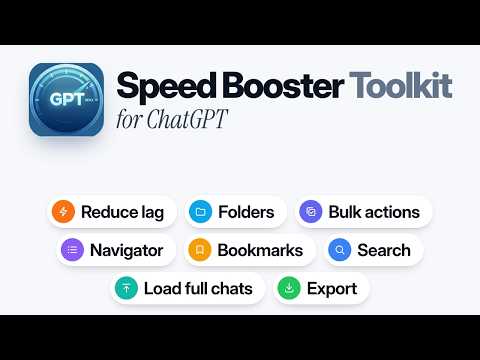
⚡ Speed Booster Toolkit upgrades ChatGPT with chat folders, message bookmarks, bulk chat management, full-conversation search, a powerful chat navigator, long-chat performance controls and exports to PDF, Markdown, HTML, TXT or JSON. Whether you're using ChatGPT for work, studying, coding or everyday tasks, this all-in-one toolkit helps you organize conversations, find important answers and work with long chats more efficiently. FEATURES: 📁 CHAT FOLDERS — Organize conversations into folders and subfolders. 🔖 MESSAGE BOOKMARKS — Save important answers and find them again. 🗂️ BULK CHAT MANAGEMENT — Move, archive, delete or export multiple chats. ⚡ FASTER LONG CHATS — Reduce browser lag and improve responsiveness. 📥 LOAD FULL CONVERSATIONS — Load every message in a chat with one click. 🔎 FULL-CHAT SEARCH — Search messages, even when they're not visible. 🧭 CHAT NAVIGATOR — Quickly jump between prompts and responses. 📤 CHAT EXPORTS — Save conversations as PDF, Markdown, HTML, TXT or JSON. All directly inside ChatGPT, without a separate account. ━━━━━━━━━━━━━━━━━━━━ ★ ORGANIZE CHATGPT CHATS WITH FOLDERS Tired of scrolling through a long list of conversations? Create folders and subfolders directly in ChatGPT's sidebar to keep your chats organized by project, topic or anything else. ✅ Create folders and nested subfolders ✅ Drag and drop conversations into folders ✅ Move chats using their existing menu ✅ Customize folder colors and ordering ✅ Undo folder changes when needed ✅ Sync your folders across browsers Your folders are integrated into ChatGPT's interface, so organizing conversations feels natural. ━━━━━━━━━━━━━━━━━━━━ ★ BOOKMARK IMPORTANT MESSAGES Found a useful answer you don't want to lose? Bookmark individual messages in any conversation and return to them whenever you need them. ✅ Bookmark messages with one click ✅ View saved messages in the chat navigator ✅ Jump directly to bookmarked answers ✅ Keep bookmarks synced across browsers Perfect for saving important explanations, code snippets, instructions and ideas without searching through long conversations again. ━━━━━━━━━━━━━━━━━━━━ ★ BULK DELETE, ARCHIVE AND MANAGE CHATS Managing a large ChatGPT history shouldn't mean handling every conversation individually. Select multiple chats directly from the sidebar and manage them together. ✅ Select several conversations at once ✅ Shift-click to select a range of chats ✅ Move multiple conversations into folders ✅ Bulk archive or delete conversations ✅ Export multiple chats together with Pro Bulk deletion always asks for confirmation before removing chats. ━━━━━━━━━━━━━━━━━━━━ ★ FIX LAG AND SPEED UP LONG CHATGPT CONVERSATIONS Long conversations can become slow, especially when hundreds of messages are loaded in your browser. Speed Booster Toolkit gives you more control over how much of a conversation ChatGPT displays, helping reduce browser lag and improve responsiveness. ✅ Keep only the latest messages loaded ✅ Choose how many messages load at a time ✅ Load older messages as you scroll ✅ Reduce the number of messages rendered on screen ✅ Load the complete conversation whenever needed Your conversation history and context remain intact. The extension changes how messages are loaded and displayed, not what you've discussed. ━━━━━━━━━━━━━━━━━━━━ ★ LOAD COMPLETE CONVERSATIONS IN ONE CLICK ChatGPT loads older messages progressively, which can make navigating long conversations frustrating. Speed Booster Toolkit lets you load the entire conversation without repeatedly scrolling to the top. ✅ Load all messages from the beginning of a chat ✅ Access older messages without endless scrolling ✅ Make the full conversation available for navigation ✅ Restore ChatGPT's original prompt navigator when possible ✅ Automatically open complete conversations with Pro You can choose between keeping long chats lightweight or loading everything when you need it. ━━━━━━━━━━━━━━━━━━━━ ★ SEARCH EVERY MESSAGE WITH CTRL+F / CMD+F Looking for something mentioned earlier in a long conversation? Normal browser search may only find messages currently rendered on screen. Speed Booster Toolkit adds full-conversation search to help you find messages that aren't currently visible. ✅ Search across the entire open conversation ✅ Find matches in older, unloaded messages ✅ Jump directly to matching messages ✅ Navigate between search results ✅ Use familiar Ctrl+F or Cmd+F shortcuts No more scrolling through hundreds of messages to find a particular answer, phrase or piece of code. ━━━━━━━━━━━━━━━━━━━━ ★ POWERFUL CHAT NAVIGATOR Quickly navigate long conversations using a dedicated message navigator. Instead of manually scrolling, find the message you need and jump straight to it. ✅ View prompts and responses in one place ✅ Jump directly to earlier messages ✅ Filter messages by keyword ✅ Navigate between your messages and ChatGPT's replies ✅ Access bookmarked messages from the Saved view ✅ Navigate even very long conversations The navigator makes large conversations easier to explore and revisit. ━━━━━━━━━━━━━━━━━━━━ ★ EXPORT CHATGPT CONVERSATIONS TO PDF & MORE Save, back up, print or share your conversations in the format that works best for you. ✅ PDF — Readable documents for saving, printing or sharing ✅ Markdown — Great for documentation, Obsidian, Notion and GitHub ✅ HTML — Portable web pages with rich formatting ✅ TXT — Simple, lightweight plain-text files ✅ JSON — Structured data for backups and custom workflows Additional export options include: • Export complete conversations in one click • Choose which messages to include or exclude with Pro • Export multiple conversations together with Pro • Preserve message order, code blocks and supported formatting • Generate exports directly in your browser Your chat content is not uploaded to an external processing server. ━━━━━━━━━━━━━━━━━━━━ ★ PRIVATE BY DESIGN Your conversations stay private. Speed Booster Toolkit processes conversation loading, navigation, searching and exporting locally in your browser. ✅ No chat messages uploaded to our servers ✅ No chat content stored on our servers ✅ No selling or sharing your conversations ✅ No separate account required ✅ No ads or tracking inside the extension Folders and bookmarks can sync between browsers. This information is encrypted on your device before syncing, without uploading chat titles or message content. Your conversations remain in your ChatGPT account unless you explicitly choose to archive or delete them. ━━━━━━━━━━━━━━━━━━━━ ★ FREE TO USE + OPTIONAL PRO Speed Booster Toolkit offers a useful free version, with optional Pro features for people who want more. The free version includes: ✅ Long-chat performance controls ✅ Full-conversation search ✅ Chat navigator ✅ Bulk chat selection and management ✅ Folders and message bookmarks, with free limits ✅ Daily full-chat loads and exports Upgrade to Pro to unlock: 💎 Unlimited chat folders and bookmarks 💎 Unlimited full-conversation loading 💎 Unlimited exports without watermarks 💎 Export multiple conversations together 💎 Choose exactly which messages to export 💎 Automatically load every conversation in full Every new installation includes a 7-day Pro trial. Pro is available for a one-time payment, with no subscription. ━━━━━━━━━━━━━━━━━━━━ ★ FREQUENTLY ASKED QUESTIONS Q: Does Speed Booster Toolkit delete or change my conversations? A: Loading controls, searching, navigation and exporting do not change your conversation content. Chats are only archived or deleted when you explicitly use those management features. Q: Can I organize ChatGPT conversations into folders? A: Yes. Create folders and subfolders directly in the sidebar, move conversations between them and sync your folders across browsers. Q: Can I search my entire ChatGPT conversation? A: Yes. Full-chat search lets you find messages throughout the currently open conversation, including older messages that aren't visible on screen. Q: Can I export complete ChatGPT conversations? A: Yes. Export your chats to PDF, Markdown, HTML, TXT or JSON. Pro also supports bulk exports and selecting individual messages. Q: Does it make ChatGPT generate answers faster? A: ChatGPT generates responses on OpenAI's servers. Speed Booster Toolkit improves the browser-side experience by managing how messages are loaded, displayed, searched and navigated. It cannot accelerate OpenAI's response generation. Q: Is my conversation data uploaded to your servers? A: No chat messages or conversation titles are uploaded to our servers. Search, loading and exports happen locally. Only encrypted folder and bookmark information is synced between browsers. Q: Do I need to create an account? A: No. The extension works directly inside ChatGPT without requiring an additional account. ━━━━━━━━━━━━━━━━━━━━ ★ GET MORE OUT OF CHATGPT Organize your chats, bookmark useful answers, reduce lag in long conversations, search older messages and export the conversations that matter. Install Speed Booster Toolkit and make ChatGPT easier to work with. Have a question, feature request or issue? Contact: contact@gptspeedbooster.com Speed Booster Toolkit is independently developed and is not affiliated with, endorsed by or sponsored by OpenAI or ChatGPT.
4.5 out of 5323 ratings
Details
- Version5.0.0
- UpdatedNovember 2, 2026
- FeaturesOffers in-app purchases
- Size1.16MiB
- LanguagesEnglish
- DeveloperWebsite
Email
contact@gptspeedbooster.com - Non-traderThis developer has not identified itself as a trader. For consumers in the European Union, please note that consumer rights do not apply to contracts between you and this developer.
Privacy

Speed Booster Toolkit for ChatGPT has disclosed the following information regarding the collection and usage of your data. More detailed information can be found in the developer's privacy policy.
Speed Booster Toolkit for ChatGPT handles the following:
This developer declares that your data is
- Not being sold to third parties, outside of the approved use cases
- Not being used or transferred for purposes that are unrelated to the item's core functionality
- Not being used or transferred to determine creditworthiness or for lending purposes
Support
For help with questions, suggestions, or problems, please open this page on your desktop browser