

FindSQL

Overview
Automates the execution of SQL queries in the Tasy system to load the screen.
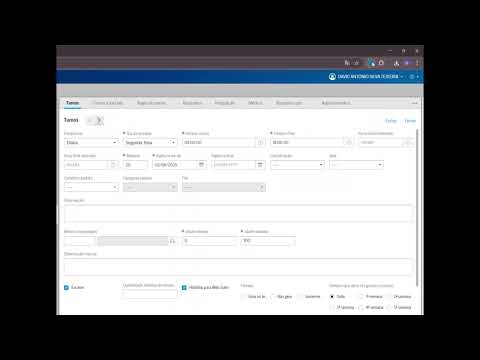
FindSQL is an essential extension for developers and analysts looking to boost productivity within the Tasy ecosystem. It simplifies debugging and data analysis, allowing you to instantly locate the SELECT statements used to load any page—whether by table name, view ID, or dashboard code. To function properly, FindSQL requires a complementary API installed on your local environment or server. This API acts as a bridge between the extension and the system logs. Go to: github.com/davidasteixeira/FindSQL After installing the extension and the API, follow the steps below to configure the environment: Access Options: Right-click the extension icon and select Options. - AppServer Credentials: Enter the AppServer username and password (e.g., usuario.teste). - Environment URLs: Enter the corresponding addresses for the Dev, QA, and PROD fields. - Identification: Enter your Tasy system username. - API Endpoint: The last field is already filled in with the default value; change it only if you customized the port Save: Click Save to enable the extension on the configured domain. How to Use Log in to the Tasy system. - Click the FindSQL extension icon. - Enter the table name, view ID, or dashboard code you want to analyze. - Select the desired database (DEV, QA, or PROD). - Click Search to view, copy, or download the corresponding SELECT statement. Technical Note: For optimal performance, ensure that the AppServer is operating correctly and that log generation is properly enabled.
0 out of 5No ratings
Details
- Version1.0.0
- UpdatedApril 15, 2026
- Offered byDavid Teixeira
- Size15.27KiB
- LanguagesEnglish
- Developer
Email
david.sq080@gmail.com - Non-traderThis developer has not identified itself as a trader. For consumers in the European Union, please note that consumer rights do not apply to contracts between you and this developer.
Privacy

This developer declares that your data is
- Not being sold to third parties, outside of the approved use cases
- Not being used or transferred for purposes that are unrelated to the item's core functionality
- Not being used or transferred to determine creditworthiness or for lending purposes