


Overview
Search and highlight multiple strings in webpages
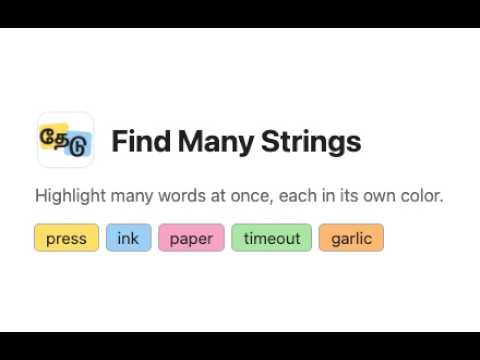
Find Many Strings highlights several words or phrases at once on any web page, each in its own color, so you can see where all of them appear in one pass. Type your search terms separated by commas (or any separator you choose) and click Search. Every match is highlighted, and the popup lists each term with its number of matches. Use the ▲ ▼ buttons next to a term to jump to its previous or next match. The current match is outlined and scrolled into view. Useful for: • Scanning long articles, contracts or documentation for several keywords • Reading logs for errors, IDs and service names at the same time • Checking a recipe, product page or report for specific items Features: • Highlight many terms in one search (matching ignores upper and lower case) • Distinct, readable colors that work on both light and dark websites • Step through the matches of each term separately, with a match counter • Text you select on the page is filled in as your search • The popup follows your browser's light or dark theme • Clear all highlights with one click Privacy: Find Many Strings collects no data. It works only on the tab you are viewing, and only after you click its button. Nothing is stored or sent anywhere. It uses only the "activeTab" and "scripting" permissions. New in version 2.0: • Rebuilt for Manifest V3 with minimal permissions • Previous/next navigation for each search term • New popup design with light and dark themes • Fixed set of readable highlight colors Open source: https://github.com/psankar/Find-Many-Strings Remember to reload your tabs after installing the extension
3.0 out of 544 ratings
Details
- Version2.0
- UpdatedNovember 20, 2026
- Size52.11KiB
- LanguagesEnglish
- DeveloperWebsite
Email
sankar.curiosity@gmail.com - Non-traderThis developer has not identified itself as a trader. For consumers in the European Union, please note that consumer rights do not apply to contracts between you and this developer.
Privacy

Find Many Strings has disclosed the following information regarding the collection and usage of your data. More detailed information can be found in the developer's privacy policy.
Find Many Strings handles the following:
This developer declares that your data is
- Not being sold to third parties, outside of the approved use cases
- Not being used or transferred for purposes that are unrelated to the item's core functionality
- Not being used or transferred to determine creditworthiness or for lending purposes