

FillMate

Overview
AI copilot that reads and fills web forms conversationally, with your permission every step.
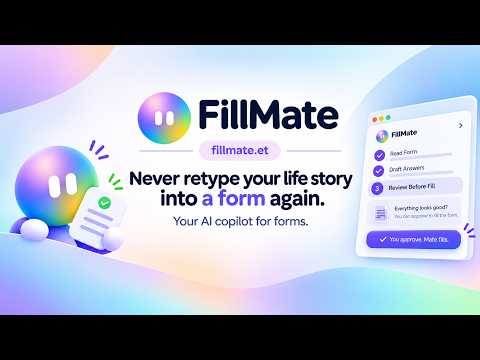
Never retype your life story into a form again. FillMate lives in Chrome's side panel. Open any form (a job application, a grant portal, a visa form, a sign-up page), press Scan, and FillMate works out what each field is asking. It drafts every answer from your saved profile and resume, shows you the full plan, and fills the page only after you say yes. It never presses Submit for you. HOW IT WORKS • Scan the page. FillMate finds the fields and what each one really means. • Review the plan. Every proposed answer is listed with where it came from. Edit anything, or uncheck what you'd rather fill yourself. • Fill. Approved answers are typed into the page. You check it and press the site's own Submit. GETS SMARTER AS YOU GO • Attach your resume once and FillMate builds your profile from it. If something conflicts with what it already knows, it asks you which is right. • Chat in plain words: "use my work email", "keep it under 100 words", or just "fill this page". • Fields only you can answer are flagged clearly, and you answer them right in the plan. BUILD YOUR OWN FORMS • Describe a form ("a workshop RSVP with dietary needs") and FillMate drafts it field by field. • Export it as a Google Form, a shareable web form, or a PDF. • Check the responses in one tap: open them in Google Forms, or see web form answers right in the side panel and download them as CSV. PILOT (Ultimate plan) • Pilot finds jobs, grants, gigs, events and scholarships that match your profile, ranks them by fit, and helps you apply. PRIVATE BY DESIGN • Nothing is granted at install. FillMate reads a site only after you press Scan there and Chrome asks you to allow it. • It asks before reading any other tab, and every grant can be revoked in Settings. • Incognito mode: nothing from that session is used or saved. • See, edit, export or delete everything FillMate has learned, any time. PLANS Start free with a monthly allowance of fills and form templates. Upgrade to Pro for an active job or grant search, or Ultimate for unlimited use and Pilot. Privacy policy: https://fillmate.et/privacy
0 out of 5No ratings
Details
- Version0.1.5
- UpdatedOctober 29, 2026
- Offered bykalabtenadegkal
- Size798KiB
- LanguagesEnglish
- Developer
Email
kalabtenadegkal@gmail.com - Non-traderThis developer has not identified itself as a trader. For consumers in the European Union, please note that consumer rights do not apply to contracts between you and this developer.
Privacy

FillMate has disclosed the following information regarding the collection and usage of your data. More detailed information can be found in the developer's privacy policy.
FillMate handles the following:
This developer declares that your data is
- Not being sold to third parties, outside of the approved use cases
- Not being used or transferred for purposes that are unrelated to the item's core functionality
- Not being used or transferred to determine creditworthiness or for lending purposes
Support
For help with questions, suggestions, or problems, visit the developer's support site