

File Splice: Collate & Combine PDFs

Overview
Send PDFs, PDF links and Google Docs to File Splice Collate and combine them in any order. Requires a File Splice subscription.
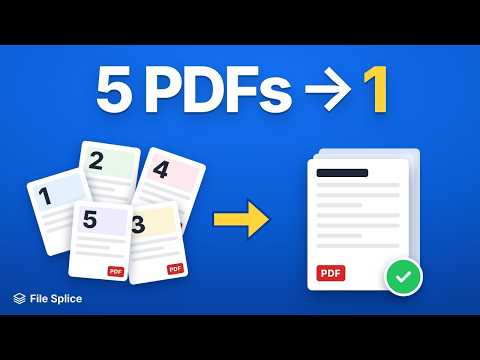
Log in to your File Splice account to use this extension. See plans: https://filesplice.com/pricing/ Combine PDFs in exactly the order you want, straight from Chrome. File Splice Collate lines up your files, lets you drag them into order, preview, duplicate or remove pages, and builds one clean PDF. This extension gets your files into Collate without downloading and re-uploading them. SEND FILES TO COLLATE FROM ANYWHERE • Open a PDF in Chrome, click the FileSplice icon, and choose Collate. • Right-click any PDF link on a website, client portal or webmail and send it to Collate. • Right-click any image and add it to your collate set. • Open a Google Doc, Sheet or Slide and send it to Collate as a PDF. GREAT FOR • Print shops building print-ready sets from customer files • Training manuals, event programs and multi-part handouts • Document bundles: contracts, disclosures, onboarding packets • Anyone who collects PDFs from several places and needs them in one file ALSO WORKS WITH • Splitter: send a PDF to split it into separate pages or files. • Merge Files: send artwork straight to your saved imposition templates. HOW IT WORKS 1. Log in to File Splice in Chrome. 2. Open a PDF or Google document, or right-click a PDF link or image. 3. Choose Collate (or Splitter or a Merge template). FileSplice opens with your file ready. Free setup and support on every account: https://filesplice.com/contact/
0 out of 5No ratings
Details
- Version1.0.0
- UpdatedNovember 21, 2026
- Size50.35KiB
- LanguagesEnglish
- DeveloperWebsite
Email
info@filesplice.com - Non-traderThis developer has not identified itself as a trader. For consumers in the European Union, please note that consumer rights do not apply to contracts between you and this developer.
Privacy

File Splice: Collate & Combine PDFs has disclosed the following information regarding the collection and usage of your data. More detailed information can be found in the developer's privacy policy.
File Splice: Collate & Combine PDFs handles the following:
This developer declares that your data is
- Not being sold to third parties, outside of the approved use cases
- Not being used or transferred for purposes that are unrelated to the item's core functionality
- Not being used or transferred to determine creditworthiness or for lending purposes
Support
For help with questions, suggestions, or problems, visit the developer's support site