Item logo image for FigSnap

FigSnap

Item media 2 (screenshot) for FigSnap
Item video thumbnail
Item media 2 (screenshot) for FigSnap
Item video thumbnail
Item media 2 (screenshot) for FigSnap

Overview

Capture a screenshot of the active tab and send it to Figma FigJam as a comment.

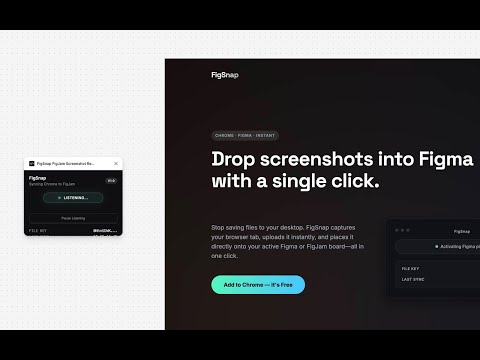
Drop screenshots into Figma with a single click. Stop saving files to your desktop. FigSnap captures your browser tab, uploads it instantly, and places it directly onto your active Figma or FigJam board—all in one click. --- Setup in Seconds FigSnap needs three values to work. Enter them in the Chrome Extension Options page, and you may need to provide them in the Figma plugin on first run: 1. Figma Personal Access Token Generate a PAT in Figma settings with file_comments:read and file_comments:write scopes. This lets FigSnap read and post to your board. 2. Figma File Key Paste the full Figma URL (e.g., figma.com/board/abc123... or figma.com/design/abc123...). FigSnap extracts the key automatically. 3. ImgBB API Key Get a free key at api.imgbb.com. FigSnap uses this to host screenshots temporarily. Install the FigSnap Figma Plugin. https://www.figma.com/community/plugins

Details

  • Version
    1.0
  • Updated
    December 1, 2025
  • Offered by
    emptycan.com
  • Size
    28.3KiB
  • Languages
    English
  • Developer
    Email
    jesse.korzan@gmail.com
  • Non-trader
    This developer has not identified itself as a trader. For consumers in the European Union, please note that consumer rights do not apply to contracts between you and this developer.

Privacy

The developer has disclosed that it will not collect or use your data. To learn more, see the developer’s privacy policy.

This developer declares that your data is

  • Not being sold to third parties, outside of the approved use cases
  • Not being used or transferred for purposes that are unrelated to the item's core functionality
  • Not being used or transferred to determine creditworthiness or for lending purposes

Support

For help with questions, suggestions, or problems, visit the developer's support site

Related

html.tomake.design (llama)

5.0

Convert any website into fully editable Figma designs. Requires the companion Figma plugin!

Over.fig – Compare design to website in real time

5.0

Bridge the gap between design and code. Convert your Figma into a pixel-perfect semi-transparent overlay directly on your web page.

html.to.design

4.7

Convert any website into fully editable Figma designs. Requires the associated Figma plugin!

Figma_PlusCN

5.0

Figma的完美汉化,方便使用中文汉语的设计师使用,持续更新。

Refore HTML to Figma (Pixel-Perfect Web to Figma Design)

4.2

Transform any web into Figma with Pixel-Perfect. AI-Generated Pages Also Supported

Full Page Screen Capture

3.4

Enable this extension to capture screenshots whether it's a visible screen, crop capture andfull-page screen

Scribd to PDF Saver

4.0

Capture the entire Reddit thread as a screenshot and save it as a PDF..

Drafito

0.0

Import webpage to Figma

HTML to Figma — Import Webpages to Figma

2.6

Convert any Webpage into fully editable figma design. Requires the figma plugin with the same name.

HTML to Figma (by Yashi Tech Solutions)

3.7

Convert webpages into a Figma design

Figma to Bubble Converter

5.0

Convert your Figma designs into responsive, pixel-perfect Bubble elements in just a few clicks — for free.

Web to Figma

2.2

Web to Figma extension to capture pages and components and import them into Figma as editable designs. No more screenshots.

html.tomake.design (llama)

5.0

Convert any website into fully editable Figma designs. Requires the companion Figma plugin!

Over.fig – Compare design to website in real time

5.0

Bridge the gap between design and code. Convert your Figma into a pixel-perfect semi-transparent overlay directly on your web page.

html.to.design

4.7

Convert any website into fully editable Figma designs. Requires the associated Figma plugin!

Figma_PlusCN

5.0

Figma的完美汉化,方便使用中文汉语的设计师使用,持续更新。

Refore HTML to Figma (Pixel-Perfect Web to Figma Design)

4.2

Transform any web into Figma with Pixel-Perfect. AI-Generated Pages Also Supported

Full Page Screen Capture

3.4

Enable this extension to capture screenshots whether it's a visible screen, crop capture andfull-page screen

Scribd to PDF Saver

4.0

Capture the entire Reddit thread as a screenshot and save it as a PDF..

Drafito

0.0

Import webpage to Figma

Google apps