


Overview
CherryPad: Your Sleek, Distraction-Free Browser Notepad Extension for Endless Productivity
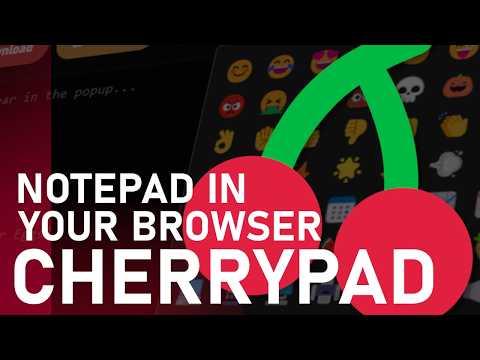
CherryPad: Your Sleek, Distraction-Free Browser Notepad Extension for Endless Productivity Welcome to CherryPad 🍒, the notepad extension for your browser! CherryPad is designed to make your note-taking experience quick, convenient and visually pleasing. What’s New in CherryPad 1.6? CherryPad 1.6 introduces Cherry StickyBoard, a flexible workspace for creating, customizing, drawing on, moving, resizing, and connecting sticky notes, with JSON import/export for easy backups and restoration. The virtual keyboard features improved controls, including CAPS LOCK, cursor navigation, Backspace, and Enter, alongside a dedicated Unicode Symbol Panel. Built-in character, word, and line counters make tracking text easier in both popup and fullscreen modes. CherryPad is now fully compatible with Linux, with improved cross-platform support, usability enhancements, and numerous bug fixes. Additional improvements include better note management, privacy mode feedback, safer note clearing, and a smoother overall experience. ✨ Key Features 💾 AutoSave 🔒 Privacy Mode 🔢 Character, Word & Line Counters ⌨️ Virtual Keyboard 🥚 Hidden Easter Eggs 🟨 Interactive StickyBoard 🎨 Built-in Sticky Note Colors & Drawing Tools 🔗 Connect Sticky Notes with Lines 📦 Import & Export StickyBoards as JSON ⚡ Lightweight and Fast 😃 Built-in Emoji Panel 🔣 Built-in Unicode Symbol Panel ✏️ Capture notes directly within your browser 🌒 Comfortable design for everyday use 📝 Fullscreen mode with two separate note fields ✅ Save notes directly in the extension or download them as a .txt file 🔕 No ads, no trackers — a lightweight tool that doesn’t follow you around 🖥️ Create notes using the extension popup or access fullscreen mode for a larger workspace 🐧 Full Linux compatibility ♥️ Made with Love With features like AutoSave, StickyBoard, the Virtual Keyboard, built-in emoji and symbol panels, and many hidden Easter Eggs, CherryPad offers a fun yet practical workspace for all your note-taking needs. CherryPad Makes Note-Taking Easy
5 out of 51 rating
Details
- Version1.7.2
- UpdatedNovember 1, 2026
- Offered bycafali
- Size106KiB
- LanguagesEnglish
- Developer
Email
cafalidev@gmail.com - Non-traderThis developer has not identified itself as a trader. For consumers in the European Union, please note that consumer rights do not apply to contracts between you and this developer.
Privacy

This developer declares that your data is
- Not being sold to third parties, outside of the approved use cases
- Not being used or transferred for purposes that are unrelated to the item's core functionality
- Not being used or transferred to determine creditworthiness or for lending purposes