

Duel Controls for Duelingbook

Overview
Drag and drop controls, hover buttons, a Duel Log with card pictures, an LP calculator and a fresh look for Duelingbook.
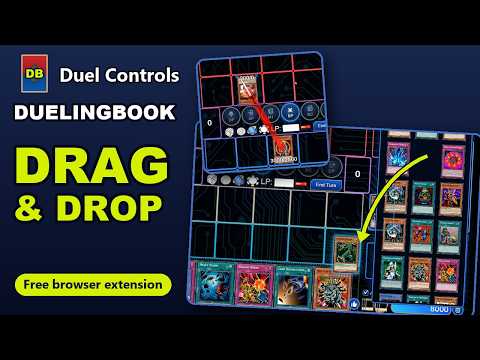
Duel Controls makes dueling on Duelingbook faster and clearer. Drag your cards where you want them, see every move in a log with card pictures, and change your life points with the built-in calculator. Features: DRAG & DROP • Drag a monster from your hand onto a Monster Zone and choose Set, Normal Summon or Special Summon • Drag Spells and Traps onto your Spell and Trap Zones to activate or set them, Field Spells onto the Field Zone • Send cards to the Graveyard, banish them, return them to your hand, Deck or Extra Deck by dropping them there • Draw, mill or banish from your Deck by dragging its top card • Move monsters between zones, overlay them for Xyz Summons, or hand control to your opponent • Drag cards out of your Graveyard, banished pile, Extra Deck or Deck straight onto the field ATTACK BY DRAGGING • In the Battle Phase, drag a monster onto an opponent or his/her monster to attack ROUND ACTION BUTTONS • Hovering a card shows its actions as round buttons right above it • Actions you already do by dragging are left out, so the buttons stay short REWORKED PILE VIEW • Your Graveyard, banished pile and Extra Deck (and a hand or Deck your opponent shows you) open in a tall panel at the side of the board • Switch between a card grid and a single column, and click anywhere outside to close it NEW DUEL LOG • Every action with its card picture, the zones it moved between and the player who did it • Turn, phase and life point changes at a glance • One click switches back to Duelingbook's classic log LIFE POINTS MADE EASY • A built-in calculator over your avatar: type 16 for 1,600, choose + or −, press = • ÷2 fills in half your life points, and your opponent sees the change as usual MODERN LOOK • A modern look for the duel screen: you in blue, your opponent in red, new phase buttons, card details, chat, buttons and dialogs MORE • A small lag-indicator shows when Duelingbook's server takes long to answer • Two buttons under the board switch the controls and the look between Modern and Classic at any time
0 out of 5No ratings
Details
- Version1.0.1
- UpdatedOctober 30, 2026
- Offered byGismo
- Size89.53KiB
- LanguagesEnglish
- Developer
Email
kloibhofer.lukas6@gmail.com - Non-traderThis developer has not identified itself as a trader. For consumers in the European Union, please note that consumer rights do not apply to contracts between you and this developer.
Privacy

This developer declares that your data is
- Not being sold to third parties, outside of the approved use cases
- Not being used or transferred for purposes that are unrelated to the item's core functionality
- Not being used or transferred to determine creditworthiness or for lending purposes