

Headstart — A beautiful, efficient, and effortless start page.

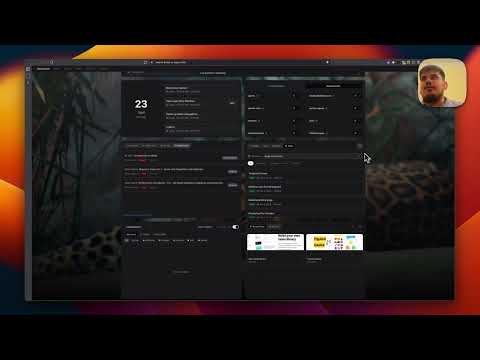
Overview
Transform your new tab into a developer's productivity hub with built-in tools, quick navigation, and essential resources.
Headstart turns your new tab into a fast, simple workspace. 🔖 Quick Access Save links, notes, color codes, or anything else you use often. Simple input, instant save. 📁 Bookmark Manager Keep bookmarking like always. Headstart organizes your bookmarks and gives you instant access to them. 🔌 Integrations Connect the work tools you already use and see your key updates in one place. Connect once and it works. ⌘ Command Panel Press Cmd+K (or Ctrl+K) to search bookmarks, open tools, and run actions without touching your mouse. 🧰 Built-in Tools Timestamp converter, UUID generator, color picker, and more. Clean tools that are always a click away. 💻 Console A quick JavaScript playground in your new tab. It runs your code safely in a sandbox and supports NPM packages. ✏️ Notes Jot down a thought or paste a snippet. Your notes live right in your new tab. 🎨 Make It Yours Choose a wallpaper, switch themes, or go minimal.
5 out of 52 ratings
Details
- Version2.2.0
- UpdatedOctober 5, 2026
- Size6.59MiB
- LanguagesEnglish
- Developer
- Non-traderThis developer has not identified itself as a trader. For consumers in the European Union, please note that consumer rights do not apply to contracts between you and this developer.
Privacy

Headstart — A beautiful, efficient, and effortless start page. has disclosed the following information regarding the collection and usage of your data. More detailed information can be found in the developer's privacy policy.
Headstart — A beautiful, efficient, and effortless start page. handles the following:
This developer declares that your data is
- Not being sold to third parties, outside of the approved use cases
- Not being used or transferred for purposes that are unrelated to the item's core functionality
- Not being used or transferred to determine creditworthiness or for lending purposes
Support
For help with questions, suggestions, or problems, please open this page on your desktop browser