

Mediacrater: Free Facebook Ads Library Downloader & Ad Saver

Overview
Download Facebook Ads Library images and videos. Batch ZIPs and a local creative library are included.
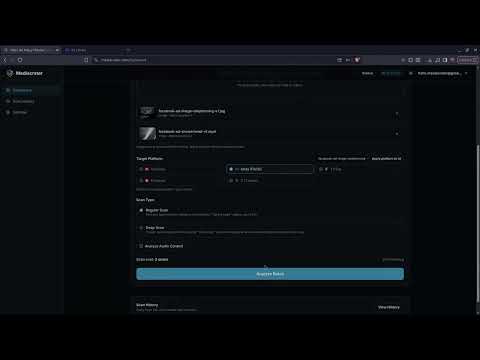
Mediacrater | Free Facebook Ads Library Downloader & Ad Saver Download images and videos directly from the Meta Ads Library for free. Mediacrater is an all-in-one Facebook Ads Library downloader, batch exporter, and ad spy tool built for media buyers, ecommerce brands, dropshippers, agencies, and creative strategists building competitor ad swipe files. KEY FEATURES • Direct Ads Library Selection: Hover and click to select images and videos directly on Facebook Ads Library pages. • Visual Cursor Indicator: Custom selection cursor makes capture mode easy to spot. • Creative Preview: Inspect captured ad images and video frames before downloading. • Unlimited Free Downloads: Save single images and videos with no download limits. • Batch ZIP Exports: Select and download multiple ad images and videos simultaneously in organized ZIP folders (Images and Videos). • One-Click URL Copying: Instantly copy raw media source URLs to your clipboard. • Custom Hotkeys: Set your preferred activation shortcut key (A–Z). • Chrome Side Panel: Run your entire ad collection workflow seamlessly from the browser side panel. LOCAL AD SWIPE FILE & ORGANIZATION • Private Browser Storage: Save ad creatives to a searchable local library stored within your browser. • Custom Folders & Color Coding: Organize saved ads with custom folders, hex colors, tags, notes, and favorites. • Bulk File Management: Move multiple saved creatives between library folders in bulk. • Folder ZIP Exports: Export entire saved swipe file folders as clean, structured ZIP files. • Reopen Saved Ads & Refresh Links: Access original Facebook Ad IDs to reopen ad details anytime. If a temporary Facebook CDN image or video link expires, revisit the ad and refresh the media URL directly inside the extension. • Policy Risk Scanner: Scan selected creatives against advertising policies to catch compliance issues before launching campaigns. HOW TO USE MEDIACRATER • Open the Facebook Ads Library. • Open the Mediacrater browser side panel. • Press W (or your custom activation key) to toggle selection mode. • Click any ad image or video to capture it. • Preview, copy, download, organize into folders, or run policy risk scans on selected creatives. PRIVACY & DISCLAIMER Downloaded files save directly via Chrome. Images, videos, thumbnails, folders, and organizational data added to your library remain stored locally on your device via IndexedDB. Creative data is transmitted only when you choose to run an ad policy risk scan. Mediacrater is not affiliated with, endorsed by, or sponsored by Meta Platforms, Inc. Facebook and Meta are registered trademarks of Meta Platforms, Inc. Users are responsible for ensuring they have permission to download, store, and use any advertising content.
5 out of 52 ratings
Details
- Version2.1.0
- UpdatedOctober 14, 2026
- Size3.65MiB
- LanguagesEnglish
- DeveloperWebsite
Email
hello.mediacrater@gmail.com - Non-traderThis developer has not identified itself as a trader. For consumers in the European Union, please note that consumer rights do not apply to contracts between you and this developer.
Privacy

Mediacrater: Free Facebook Ads Library Downloader & Ad Saver has disclosed the following information regarding the collection and usage of your data. More detailed information can be found in the developer's privacy policy.
Mediacrater: Free Facebook Ads Library Downloader & Ad Saver handles the following:
This developer declares that your data is
- Not being sold to third parties, outside of the approved use cases
- Not being used or transferred for purposes that are unrelated to the item's core functionality
- Not being used or transferred to determine creditworthiness or for lending purposes
Support
For help with questions, suggestions, or problems, please open this page on your desktop browser