


Overview
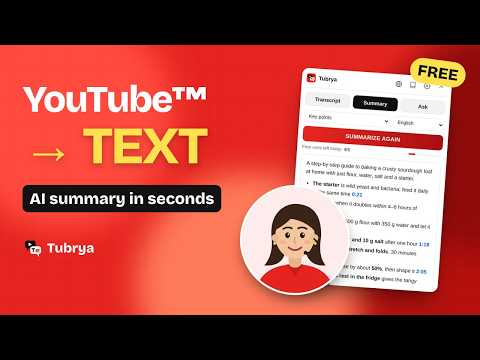
YouTube to Text – Get YouTube video transcripts, summarize them with AI and ask questions about any video.
YouTube to Text – Tubrya turns any YouTube™ video into text you can read, search, save and question, right next to the player. Get the full transcript with timestamps, a clear AI summary in seconds, and answers to your questions without watching the whole video. ★ WHY YOUTUBE TO TEXT Long lectures, tutorials, podcasts and interviews take time to watch. With Tubrya you can read the video instead, jump straight to the part you need, and keep the text for later. ★ TRANSCRIPT NEXT TO THE VIDEO • The full transcript of any video that has captions, with timestamps • Click a line to jump to that exact moment in the video • Follow along: the current line is highlighted while the video plays • Search the transcript to find where a word or topic was mentioned • Read the captions in another language with YouTube's built-in translation • Copy the whole text with one click • Works without an account ★ NO CAPTIONS OR BAD AUTO CAPTIONS? AI TRANSCRIPTION • For public videos without captions, AI listens to the video and writes a transcript with timestamps • If YouTube's automatic captions are wrong, replace them with a more accurate AI transcript • Every sentence stays in the language it was spoken • Pro: 300 minutes a month, Lifetime: 120 minutes a month, for videos up to 60 minutes ★ DOWNLOAD IN THE FORMAT YOU NEED • Plain text (.txt) for reading, notes and documents • SRT subtitles (.srt) for video editing apps • WebVTT subtitles (.vtt) for web players ★ YouTube to Text – Tubrya - AI SUMMARY IN SECONDS • Five summary styles: short, detailed, key points, chapters and study notes • Every point links to its timestamp, so you can check it in the video • Written in your language, the video's language or English • The text appears as it's written, so you can start reading right away ★ ASK THE VIDEO • Ask anything about the video and get answers based on what was actually said • Every answer includes clickable timestamps • Ask in your own language ★ YOUR LIBRARY • Transcripts, summaries and chats are saved on your computer • Reopen them instantly, search them and export them at any time ★ 52 LANGUAGES The interface follows your browser language automatically and can be changed at any time. ★ PLANS AND LIMITS Transcripts, downloads and the library have no daily limit and need no account. AI summaries and questions require signing in with Google. ★ PRIVACY Transcripts and your library stay in your browser. Signing in with Google shares only your name and email address. No ads, no selling of data, no tracking of what you watch. Privacy policy: https://tubrya.app/privacy ★ HOW TO USE YOUTUBE TO TEXT 1. Open a video on YouTube. 2. The Tubrya panel appears next to the video, above the recommendations. 3. Press "Get transcript", or open the Summary or Ask tab. Great for students, researchers, journalists, content creators, language learners and anyone who learns from video. ★ Support: support@tubrya.app ★ Website: https://tubrya.app ★ YouTube is a trademark of Google LLC. Tubrya is an independent product and is not affiliated with, endorsed by or sponsored by YouTube or Google.
0 out of 5No ratings
Details
- Version1.7.2
- UpdatedOctober 27, 2026
- Size2.79MiB
- Languages52 languages
- DeveloperWebsite
Email
support@tubrya.app - Non-traderThis developer has not identified itself as a trader. For consumers in the European Union, please note that consumer rights do not apply to contracts between you and this developer.
Privacy

This developer declares that your data is
- Not being sold to third parties, outside of the approved use cases
- Not being used or transferred for purposes that are unrelated to the item's core functionality
- Not being used or transferred to determine creditworthiness or for lending purposes
Support
For help with questions, suggestions, or problems, visit the developer's support site