


Overview
Inspect page elements and copy focused HTML/CSS snippets from the current tab.
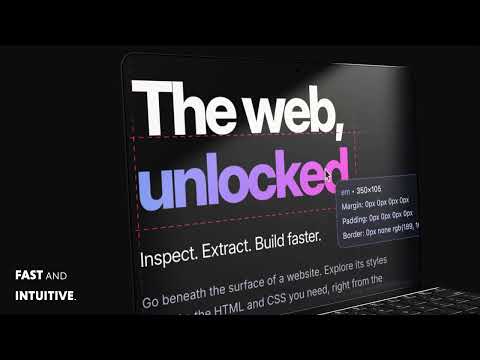
Hey, Csster! Inspect, extract, and reuse CSS without breaking your flow. Csster is a lightweight CSS inspection extension for developers and designers who want to understand how a page is styled and bring useful HTML and CSS into their own projects. Turn on Spy Mode from the extension popup or press Ctrl+Shift+S. Hover over an element to highlight its box model and inspect its dimensions, spacing, and styling. Click to open the in-page copy menu, preview the output, and choose from eight extraction modes. Whether you’re troubleshooting a layout, studying a design, comparing elements, or building a reusable component, Csster keeps the details you need close to the page. EIGHT COPY MODES • SmartExtract Combined: Copy the selected element’s HTML together with relevant CSS in a <style> block—a starting point for adapting the design to your project. • SmartExtract CSS: Copy relevant CSS rules without the HTML, ready to paste into a stylesheet. • SmartExtract HTML: Copy the selected element’s HTML, including its outer tag and contents, with inline styles removed. • SmartExtract Diff: Copy the current element’s HTML and CSS differences relative to your previous successful SmartExtract copy. Useful for comparing similar elements and spotting style variations. • Nested Element Tree: Extract a simplified element hierarchy with generated classes and corresponding CSS to help reconstruct a small layout. • Original Selectors: Copy available matching CSS rules while preserving their original selectors. Uses computed styles when matching rules aren’t accessible. • CSS Variables: Turn key styling values—such as colors, spacing, typography, and shadows—into reusable CSS custom properties, with example HTML and CSS that use them. • Scoped Component: Generate a component-style HTML and CSS snippet with dedicated classes for layout, appearance, and typography. BUILT FOR QUICK INSPECTION • Visualize margin, padding, and content areas. • Check element dimensions and styling directly on the page. • Preview extraction results before copying. • Capture available ::before and ::after styling. • Navigate between elements with the arrow keys. • Choose copy options with the mouse or keyboard. • Press Escape to close the menu or leave Spy Mode. • Toggle Spy Mode from the popup or with Ctrl+Shift+S. FREE & UNLIMITED FOREVER. UPGRADE FOR FASTER COPYING. Inspect and copy without an account, subscription, or license. Your first copy is immediate, followed by a 60-second cooldown after each successful copy. Keep inspecting elements and previewing snippets while you wait. There’s no daily copy limit. Doing a lot of inspections? An optional lifetime license removes the cooldown so you can copy as often as you like. One purchase, no recurring subscription. LOCAL INSPECTION. NO TELEMETRY. Csster activates page inspection only when you turn on Spy Mode. Page content and styling are processed locally in your browser, and inspected page content and URLs aren’t sent to the licensing service. There’s no telemetry, analytics, or account login. The free-copy cooldown is stored locally. If you activate a paid license, Csster stores licensing information locally and contacts FlashVenom to activate and validate it. PAGE COMPATIBILITY Csster works on supported webpages. Chrome settings, extension pages, and extension stores cannot be inspected. Local files require “Allow access to file URLs” in the extension settings. Cross-origin frames and restricted stylesheets may limit extraction. Extracted snippets provide a starting point for reuse; complex layouts may still need their original assets, fonts, or surrounding styles.
0 out of 5No ratings
Details
- Version0.2.1
- UpdatedOctober 4, 2026
- FeaturesOffers in-app purchases
- Size248KiB
- LanguagesEnglish (United States)
- DeveloperNathan Thomas SmithWebsite
1914 E Catalina Ave Santa Ana, CA 92705 USEmail
flashvenomdesign@gmail.comPhone
+1 714-618-7735 - TraderThis developer has identified itself as a trader per the definition from the European Union and committed to only offer products or services that comply with EU laws.
Privacy

This developer declares that your data is
- Not being sold to third parties, outside of the approved use cases
- Not being used or transferred for purposes that are unrelated to the item's core functionality
- Not being used or transferred to determine creditworthiness or for lending purposes
Support
For help with questions, suggestions, or problems, please open this page on your desktop browser