


Overview
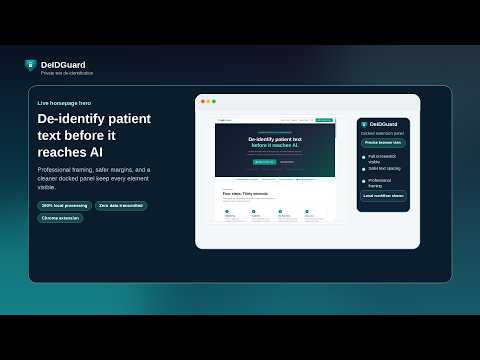
Clean sensitive text locally before it reaches AI. Flags HIPAA identifier patterns. No cloud, no APIs, no data leaves your device.
Clean sensitive text locally before it reaches any AI tool. DeIDGuard flags and replaces HIPAA identifier patterns from clinical notes, messages, and health records — right in your browser, before you paste into ChatGPT, Claude, or any other AI tool. Everything runs locally. No server. No API. No account required. Your text never leaves your device. WHAT IT FLAGS AND REPLACES DeIDGuard works through the 18 HIPAA Safe Harbor identifier categories: names, dates, phone numbers, addresses, Social Security numbers, medical record numbers, device identifiers, IP addresses, email addresses, URLs, biometric references, and more. It also flags social media handles, employer organization references, and genomic gene identifiers beyond the standard 18. HOW IT WORKS 1. Highlight any text on any webpage 2. Click De-Identify — identifier patterns flagged and replaced instantly 3. Run an optional compliance rule check 4. Copy the clean text and paste into your AI tool QUASI-IDENTIFIER REVIEW Replacing direct identifiers is not always enough. Age, gender, diagnosis, and geography in combination can still trace back to a real person. DeIDGuard flags remaining quasi-identifiers for your review before you share. COMPLIANCE REVIEW MODES - Basic: General scope-of-practice flags - Healthcare Pro: Clinical and Rx language plus Texas RAIA AI disclosure flags - FTC / HIPRA: For health coaches and non-HIPAA entities - Custom: Define your own rules PRIVACY FIRST No cloud sync. No external API calls. No data collection. All processing happens locally in your browser. Open the source code to verify — zero network requests with your text. KEYBOARD SHORTCUT Press Ctrl+Shift+D (Cmd+Shift+D on Mac) to open the panel instantly. BUILT FOR Privacy-conscious professionals in healthcare and allied health who use AI in their daily workflow. This is a workflow assistance tool. It is not a legal product and does not certify regulatory compliance. Final review is your responsibility. Questions: info@deidguard.com
0 out of 5No ratings
Details
- Version1.2.2
- UpdatedMay 4, 2026
- Size55.72KiB
- LanguagesEnglish
- DeveloperHunters Holistic Health LLCWebsite
7901 4th St N STE 300 St. Petersburg, FL 33702-4399 USEmail
info@deidguard.comPhone
+1 561-945-7540 - TraderThis developer has identified itself as a trader per the definition from the European Union and committed to only offer products or services that comply with EU laws.
- D-U-N-S132807831
Privacy

This developer declares that your data is
- Not being sold to third parties, outside of the approved use cases
- Not being used or transferred for purposes that are unrelated to the item's core functionality
- Not being used or transferred to determine creditworthiness or for lending purposes
Support
For help with questions, suggestions, or problems, visit the developer's support site