


Overview
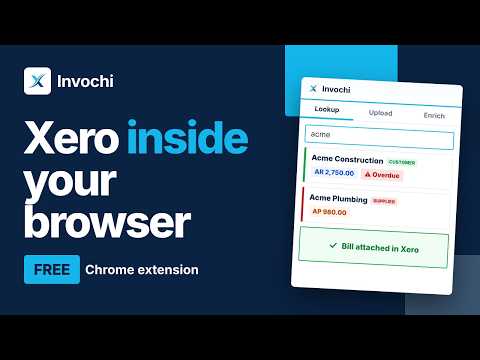
Xero contact lookup, invoice creation, smart uploads & Gmail enrichment — in a browser side panel, always one click away.
Stop switching tabs to get things done in Xero. Invochi puts Xero in Chrome’s side panel, right next to your inbox, bank portal or spreadsheet. Check what a client owes, raise an invoice, file a receipt or update a contact without leaving the page you’re on. It’s built for accountants, bookkeepers and finance teams who work between Gmail and Xero all day. 🔍 LOOKUP: KNOW WHERE EVERY CONTACT STANDS Find any contact by name or email as you type, or jump to a letter with the A–Z browser See receivables, payables and overdue totals at a glance Open a contact’s invoices, bills and full payment history in one timeline Sort by overdue to see who needs a follow-up today Edit contact details, bank details, contact persons and notes inline, saved straight to Xero Create or duplicate invoices and bills with live account codes and tax rates, then save as draft or authorise 📎 UPLOAD: CLEAR MONTH-END RECEIPTS IN MINUTES See every invoice, bill and bank transaction from the last 30 days that has no attachment Drag a file onto its card and it’s attached in Xero Search by invoice number, contact, amount or bank account Works with PDF, images, Excel, CSV and Word files up to 25 MB ✦ SMART UPLOAD: DROP A BILL AND AI DOES THE TYPING Drop in a PDF or photo of an invoice or bill AI reads the dates, amounts, contact and line items Invochi either matches it to an existing invoice or bill, or pre-fills a new one Review it, then create it in Xero with the file already attached ✉️ ENRICH: UPDATE XERO CONTACTS FROM GMAIL Open an email and Invochi picks up the sender’s phone, address, website and VAT number from the signature It matches the right Xero contact automatically See “In Xero” and “From email” side by side, then push only the fields you choose Add To and CC recipients as contact persons in one click 🏢 BUILT FOR MULTI-CLIENT WORK Switch between Xero organisations from the header Sign in with Google or a one-time email code, with no passwords to remember 🔒 PRIVATE BY DESIGN Your accounting data goes straight from your browser to Xero, and Invochi never stores or copies it on its servers Xero is connected through secure OAuth 2.0, and your login tokens stay in your browser Gmail is only read for the email you have open, and only when you’re on the Enrich tab 💳 PLANS Free: 10 contact lookups, 3 file uploads and 5 Gmail enrichments a day Pro, $9/month: unlimited lookups, uploads, Smart upload and enrichments, plus priority support Every new install starts with a 7-day Pro trial, no credit card needed 🚀 GET STARTED IN A MINUTE Install Invochi and pin it to your toolbar Click the icon to open the side panel and sign in Connect your Xero account and pick an organisation Try it with Xero’s free Demo Company if you want to test first Works in Chrome and other Chromium browsers that support the side panel, such as Edge and Brave. Questions or ideas? Email xerohelper@gmail.com. Invochi is an independent product and is not affiliated with or endorsed by Xero Limited.
5 out of 51 rating
Details
- Version1.9.6
- UpdatedNovember 1, 2026
- Size160KiB
- LanguagesEnglish
- Developer
- Non-traderThis developer has not identified itself as a trader. For consumers in the European Union, please note that consumer rights do not apply to contracts between you and this developer.
Privacy

Invochi has disclosed the following information regarding the collection and usage of your data. More detailed information can be found in the developer's privacy policy.
Invochi handles the following:
This developer declares that your data is
- Not being sold to third parties, outside of the approved use cases
- Not being used or transferred for purposes that are unrelated to the item's core functionality
- Not being used or transferred to determine creditworthiness or for lending purposes
Support
For help with questions, suggestions, or problems, please open this page on your desktop browser