


Overview
Auto-complete SBCs, open packs and plan Gallery tokens in the FC 27 Ultimate Team web app. Chrome, Firefox and Firefox for Android.
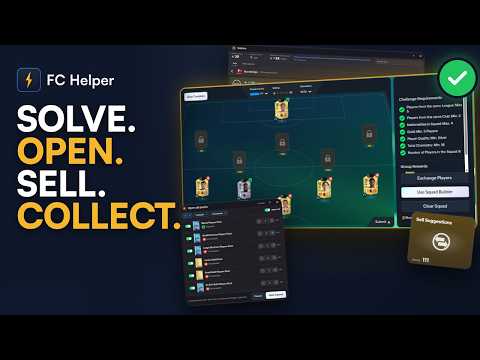
FC Helper auto-completes any SBC in FC 27 Ultimate Team in one click. It is an SBC solver and all-in-one helper for the EA FC web app, and it runs on Chrome, Firefox and Firefox for Android, on desktop or on your Android phone. The solver fills the squad from players already in your club, handling chemistry, rating, rarity, leagues and nations, then leaves you to check it and press Submit. FC Helper also opens packs, helps you sell your transfer list, shows a price on every player card and helps you plan your FUT Gallery tokens. Squad Building Challenges - Find Squad builds a squad for any challenge: 50 solves a day, free. - Pick where players come from: your club, club plus transfer market, or market only, with a Max Card Price you set. Choosing and finding is free; buying needs Premium. - Exclude up to 10 cards for free. - A warning before a solve would use your high-rated cards. - Repeat, Set and Daily runs that solve and submit challenges for you, with a Preview first (Premium). Packs - Quick open up to 50 packs a day (free). - Open all, choosing what happens to each pull: list, quick sell, send to club or storage (Premium). Prices and selling - A price on every player card. Prices are looked up one search at a time at a limited pace. Nothing is bought or listed in the background. - Clear sold items (free). - List at market price, re-list, send to club, quick sell, Sell Suggestions and Quick List (Premium). Gallery and club - Browse Gallery sets (free). - Token planner, and find the cards a set still needs (Premium). - Club sheet and Redeem all (Premium). You stay in control - A single Find Squad never submits. - Nothing is bought until you confirm, and never above the total you confirmed or your Max Card Price. - FC Helper never asks for your EA login. - Premium is tied to your email and starts with a 7-day free trial. How to use 1. Install FC Helper from the Chrome Web Store or Firefox Add-ons. 2. Open the EA FC web app and sign in. 3. Open a challenge and press Find Squad. 4. Check the squad and press Submit. Questions: support@fchelper.com Privacy: club and game data stay on your device. No analytics, no tracking, no telemetry. Premium sends your subscription ID, the email you give at checkout or restore, and a proof of purchase when you end a trial early, to our server, which checks your subscription with Stripe. Full details: fchelper.com/privacy-policy/ Not affiliated with, endorsed by, or connected to EA Sports or Electronic Arts in any way.
5 out of 59 ratings
Details
- Version4.3.1
- UpdatedNovember 11, 2026
- FeaturesOffers in-app purchases
- Size2.83MiB
- LanguagesEnglish
- DeveloperWebsite
Email
fchelper.app@gmail.com - Non-traderThis developer has not identified itself as a trader. For consumers in the European Union, please note that consumer rights do not apply to contracts between you and this developer.
Privacy

FC Helper: FC 27 Web App SBC, Packs, Gallery has disclosed the following information regarding the collection and usage of your data. More detailed information can be found in the developer's privacy policy.
FC Helper: FC 27 Web App SBC, Packs, Gallery handles the following:
This developer declares that your data is
- Not being sold to third parties, outside of the approved use cases
- Not being used or transferred for purposes that are unrelated to the item's core functionality
- Not being used or transferred to determine creditworthiness or for lending purposes
Support
For help with questions, suggestions, or problems, visit the developer's support site