


Overview
Click any text to see what font it is, with its size, weight, spacing and color. Copy the CSS in one click.
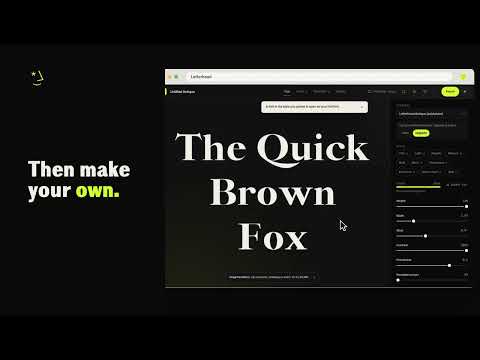
Find out what font any website uses. Press the Font Finder button, then click any text. A card names the font drawn on screen, even when the page's CSS lists other fonts first. What the card shows • The font family and where it comes from: a web font (from Google Fonts, Adobe Fonts, the site itself or another host), a font installed on your computer, or the browser's default • Weight, size, line height, letter spacing and color • A note when the browser fakes bold or italic because the page doesn't load them • The full font list from the CSS What you can do with it • Copy the CSS in one click • Keep clicking to identify more fonts on the page, and press Esc when you're done • Start a font in this style: Letterhead's font editor opens on its closest typeface, set near the font you found, for you to make your own • When nothing in Letterhead is close, it opens the editor to start from scratch • Some Letterhead typefaces come with paid plans. Every setting is free to try Font Finder reads web fonts, system fonts, text inside web components, and frames from the same site. Private by design Font Finder reads only the page you're on, and only after you press its button or shortcut. It sends nothing on its own and doesn't track what you browse. Its links open Letterhead only when you click them, and they never carry the page you were on. It counts the fonts you find, on your computer only, so it can ask for a rating once. When you remove it, a short page on our site asks why. Made by Letterhead, the font maker. lhtype.com
5 out of 51 rating
Details
- Version0.1.1
- UpdatedNovember 4, 2026
- Size70.27KiB
- Languages8 languages
- DeveloperLoser Labs LLCWebsite
30 N GOULD ST STE N Sheridan, WY 82801 USEmail
hello@lhtype.comPhone
+1 747-200-5728 - TraderThis developer has identified itself as a trader per the definition from the European Union and committed to only offer products or services that comply with EU laws.
- D-U-N-S140203056
Privacy

This developer declares that your data is
- Not being sold to third parties, outside of the approved use cases
- Not being used or transferred for purposes that are unrelated to the item's core functionality
- Not being used or transferred to determine creditworthiness or for lending purposes
Support
For help with questions, suggestions, or problems, visit the developer's support site