

FB Ads Manager - Ad Manage Tool

Panoramica
Download ads from FB Ad Library with one click. Save ads video and organize them.
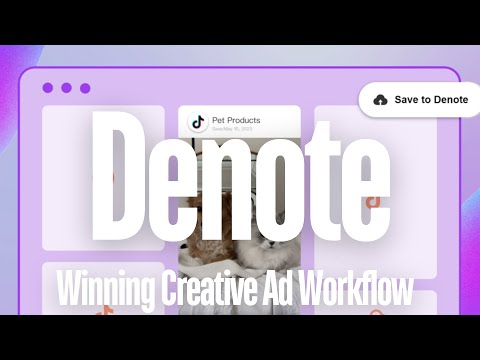
Let Denote - Save TikTok & FB Ad be your most powerful and invaluable tool for businesses. We can save ads from TikTok Creative Center, organize them into your Denote boards then share and comment them with your team. Save Tiktok creative video ads with one click, quickly gather interesting video material and re-creation. We built Denote - Save TikTok & FB Ad to build a collection of inspiring videos for your next ad campaign. Features: ● More effective : Tag your Ads and offer comment & share function with your re-creation. ● Easy to use: Save TikTok ads from creative center with one click. ● No watermark: The video you saved without watermark. ● No Expired Links: Save ads get stored in the cloud and you have access forever. How to use: ‒ Pin Denote - Save TikTok & FB Ad to the toolbar. ‒ Click the extension icon in toolbar and go to TikTok Creative Center. ‒ Click see analysis button over the TikTok video and into video analysis Page. ‒ Click save button under the ads video and it will save to your denote boards. 🚀 Denote - Save TikTok & FB Ad is the #1 way to save ads from TikTok Creative Center to your denote boards and FB Ad Library is on the way. It is a completely effective material gathering tool, it is light weight and simple enough, Use it now to help content creator double the ROI.
4,4 su 5135 valutazioni
Dettagli
- Versione1.0.27.8
- Ultimo aggiornamento:1 marzo 2026
- Dimensioni2.16MiB
- Lingue54 lingue
- SviluppatoreSito web
Email
denoteservice@gmail.com - Non commercianteQuesto sviluppatore non si è identificato come commerciante. Per quanto riguarda i consumatori nell'Unione Europea, tieni presente che i diritti del consumatore non sono applicabili ai contratti stipulati tra te e questo sviluppatore.
Privacy

Questo sviluppatore dichiara che i tuoi dati:
- Non vengono venduti a terze parti, se non per i casi d'uso approvati.
- Non vengono usati o trasferiti per finalità non correlate alle funzionalità principali dell'elemento.
- Non vengono usati o trasferiti per stabilire l'affidabilità creditizia o per finalità di prestito.
Assistenza
Per ricevere assistenza in merito a domande, suggerimenti o problemi, apri questa pagina nel browser desktop