


Overview
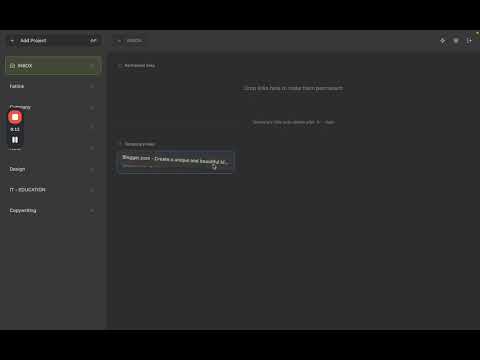
Save links to your Fatlink INBOX from any website
Save links to your Fatlink INBOX from any website with a single click. Keep everything organized, searchable, and safe. Key features: Quick save: one click from the toolbar or context menu INBOX flow: capture first, organize later Favorites: pin permanent links you use every day Projects: group links by topic or workflow Drag & drop: reorder in seconds Bulk import: move collections fast Invitations: share and collaborate Safety: URL validation and secure handling Works with your Fatlink account and Sync How it works: 1) Install the extension 2) Sign in once using your Fatlink account (Google or email) 3) Click “Save to INBOX” on any page or right‑click links 4) Open Fatlink to organize your saved items into projects and favorites Why Fatlink: Speed first: capture ideas without breaking focus Clear separation: temporary INBOX vs. permanent links Designed for teams and personal workflows Permissions explained: Tabs: read current tab title and URL to save the page you’re on Storage: keep extension session tokens securely Context Menus: add “Save to Fatlink” to the browser menu Identity: handle secure sign‑in flows Privacy: We only process the data needed to save your chosen links to your Fatlink account. See our privacy policy on the Fatlink website.
0 out of 5No ratings
Details
- Version1.4.7
- UpdatedDecember 1, 2025
- Size27.04KiB
- LanguagesEnglish
- DeveloperWebsite
Email
mr.mefo@gmail.com - Non-traderThis developer has not identified itself as a trader. For consumers in the European Union, please note that consumer rights do not apply to contracts between you and this developer.
Privacy

Fatlink has disclosed the following information regarding the collection and usage of your data. More detailed information can be found in the developer's privacy policy.
Fatlink handles the following:
This developer declares that your data is
- Not being sold to third parties, outside of the approved use cases
- Not being used or transferred for purposes that are unrelated to the item's core functionality
- Not being used or transferred to determine creditworthiness or for lending purposes
Support
For help with questions, suggestions, or problems, visit the developer's support site