

Fathom AI Note Taker for Google Meet

Overview
Records, transcribes & summarizes meetings FREE
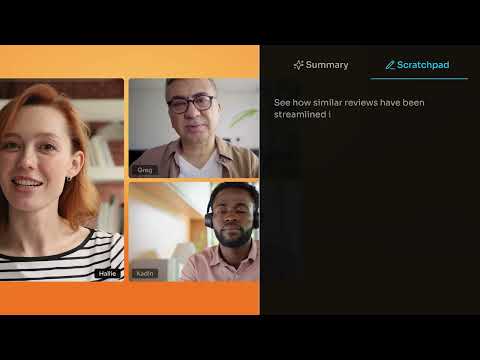
Install this Fathom for Google Meet Chrome extension to unlock: * Ability to use Fathom on any Google Meet - without it you have to make sure to join the meeting from the Fathom desktop app * Embedded recording controls right inside Google Meet, so you never have to dig for the desktop app * Instant join for any Meet link you click — even unscheduled calls ABOUT FATHOM It’s AI notetaking for the way you work. Fathom captures, transcribes, and summarizes your Zoom, Google Meet, and Microsoft Teams meetings, now available bot-free, so you can stay fully present in the conversation and let the notes take themselves. 🆓 Free forever. Unlimited recording, transcription, and storage. Get set up in minutes. 🥇 #1 rated AI Notetaker on G2, used at 300K+ companies. 🔒 Enterprise-grade security: SOC 2 Type II, GDPR, and HIPAA compliant, with SSO/SCIM available. KEY FEATURES ⚡ Instant, Shockingly Accurate Summaries: The moment your call ends, you get a clean transcript, a high-quality summary, and AI-generated action items delivered straight to your inbox. Turn a 30-minute call into a 1-minute read. 🪐 Ask Fathom – Across Every Meeting You've Ever Had: A ChatGPT-style interface for your entire meeting history. Ask things like "What did the customer say about pricing last quarter?" or "Summarize every conversation about the Acme deal" and get instant, cited answers. 🛸 Bot-Free Capture: Record meetings without a bot joining as a visible participant. Stay present, stay private, and skip the "who invited the notetaker?" conversation. 🤖 ChatGPT & Claude Integrations: Bring your meeting intelligence into the AI tools you already use. Connect Fathom to ChatGPT or Claude and pull insights, draft follow-ups, or analyze patterns across calls. 🎯 AI Scorecards & Coaching: Auto-grade calls against custom criteria — perfect for sales, customer success, and interview workflows. Managers coach with confidence; reps level up faster. 🔥 Auto-Updates Salesforce, HubSpot, and Asana: No more post-call data entry. Fathom logs the call, writes the summary, updates the right fields, and creates tasks in your project tools — automatically. 🔔 Keyword & Topic Alerts: Get notified the moment a competitor, feature request, or critical topic gets mentioned in any meeting across your team. 🙏 Easily Share Highlights & Clips: Show, don't tell. Clip key moments from any call and share them with teammates, prospects, or leadership in a couple of clicks. 🔌 Works with the tools you already use: Slack, Notion, Gmail, Zapier, plus a Public API and MCP server for custom workflows.
4.9 out of 51.7K ratings
Details
- Version0.3.0
- UpdatedOctober 15, 2026
- Size305KiB
- LanguagesEnglish (United States)
- DeveloperFathom Video Inc.Website
2261 Market St #4156 San Francisco, CA 94114-1612 USEmail
help@fathom.video - Non-traderThis developer has not identified itself as a trader. For consumers in the European Union, please note that consumer rights do not apply to contracts between you and this developer.
Privacy

This developer declares that your data is
- Not being sold to third parties, outside of the approved use cases
- Not being used or transferred for purposes that are unrelated to the item's core functionality
- Not being used or transferred to determine creditworthiness or for lending purposes
Support
For help with questions, suggestions, or problems, visit the developer's support site