

FloatDeck - Floating Button Menu & Quick Actions

Overview
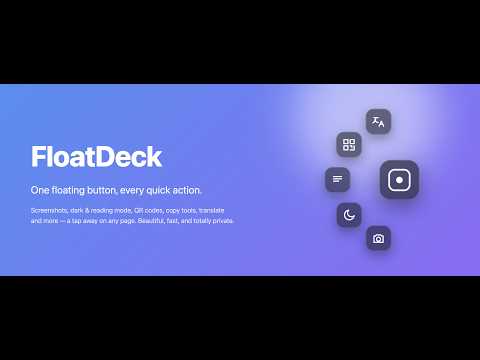
A draggable floating button that opens a radial menu of quick actions — screenshots, reading & dark mode, QR, copy, and more.
Tired of hunting through menus, toolbars, and right‑click submenus? Meet FloatDeck — a sleek floating button that follows you across the web and fans open into a beautiful menu of one‑tap actions. Drag it anywhere; it gently fades when you're not using it, then springs to life on tap. 📸 Screenshot a whole page. 🌙 Flip on dark mode. 📖 Strip a page to a clean reading view. 🔗 Copy a tracker‑free link. ▦ Make a QR code. 🌐 Translate a selection. All without leaving the page. ✨ BEAUTIFULLY SIMPLE A frosted, minimal button that feels native to your browser. Drag it, dock it to an edge, and theme it your way — light, dark, or auto, with your favorite accent color. ⚡ YOUR TOOLS, ONE TAP AWAY The radial menu keeps your go‑to actions a single tap away — no digging, no clutter. 🎁 ALWAYS FREE, FULLY LOADED Six core actions are always on: • 📸 Full‑page screenshot — saved and copied • 🌙 Dark mode — remembers each site • 📖 Reading mode — clean and distraction‑free • 🔇 Mute / unmute tab • ⬆️ ⬇️ Scroll to top / bottom • 🔄 Clear cache & hard reload ➕ BUILD YOUR OWN DECK Add any of 25+ free actions to your slot: QR code · Copy clean URL (kills trackers) · Copy as Markdown · Copy all links / images · Translate · Define / search · Calculate selection · Color picker · Picture‑in‑Picture · Page notes · Highlighter · Auto‑scroll · Per‑site font size · Text‑only · Reveal passwords · Reopen / Duplicate / Pin tab · Find on page · Email · Print / Save as PDF · Share · Google Lens — and more. ⭐ DOUBLE‑TAP SHORTCUT Double‑tap the button to instantly fire your favorite action. 🎨 MAKE IT YOURS Theme + accent color, button size, idle fade, edge‑snap, auto‑hide during fullscreen video, and per‑site hiding. 🔒 PRIVATE BY DESIGN No analytics. No tracking. No servers. Everything runs locally in your browser — your data stays yours. ℹ️ GOOD TO KNOW Chrome doesn't let any extension run on chrome:// pages, the New Tab page, the Web Store, or the PDF viewer — FloatDeck works on regular websites. 💙 Free forever: all core actions + 1 custom slot. Pro (coming soon) unlocks more slots so even more of your favorites stay one tap away. Install FloatDeck and give your browser superpowers — one tap at a time.
5 out of 510 ratings
Details
- Version1.3.1
- UpdatedOctober 6, 2026
- Size52.82KiB
- LanguagesEnglish
- DeveloperWebsite
Email
rkmohanchn@gmail.com - Non-traderThis developer has not identified itself as a trader. For consumers in the European Union, please note that consumer rights do not apply to contracts between you and this developer.
Privacy

FloatDeck - Floating Button Menu & Quick Actions has disclosed the following information regarding the collection and usage of your data. More detailed information can be found in the developer's privacy policy.
FloatDeck - Floating Button Menu & Quick Actions handles the following:
This developer declares that your data is
- Not being sold to third parties, outside of the approved use cases
- Not being used or transferred for purposes that are unrelated to the item's core functionality
- Not being used or transferred to determine creditworthiness or for lending purposes