

Bot Portal

Overview
Your bookmarks come back to you. One click sends any page to your AI agent. Works with Grok Bot and any agent that reads email.
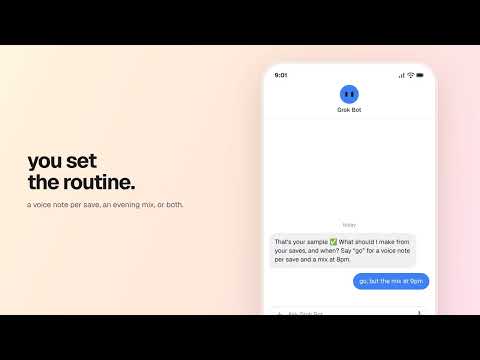
Turn your bookmarks into something you'll actually get value from. Save any page with one click, and your AI agent turns it into what fits your day: a voice note for your walk, a short summary, or an evening podcast that connects today's saves with ones from months ago. You need an AI that reads email: one with its own address, such as Grok Bot, or one that can read your inbox. Think of Bot Portal as a doorway; your AI does the work. YOU SET THE ROUTINE You decide what your AI makes from your saves, and when. Tell it once in plain words, and change it in chat any time. For example: 🎧 "A voice note for each save, for my walk to work." 📝 "Every Sunday, one summary of everything I saved this week." 🎙️ "By morning, a short podcast that ties yesterday's saves to older ones." Nothing happens to your saves that you didn't ask for. HOW IT WORKS 1. Connect your AI. Type the email address your AI reads, then confirm it from that inbox. 2. Save any page. Click the Bot Portal icon, or select some text first and then click it. Bot Portal sends the page (or the selected text) to that address. If you like, the small card that follows asks your AI for one more thing, such as a podcast. 3. Tell your AI what to make. Setup gives you a message to paste into your AI. You can change it in chat any time. PRIVATE BY DESIGN 🔒 • Bot Portal reads a page only when you save or pick it, and sends it only to the inbox you verified. • It looks at your history only if you click "show this week's pages": once, on your computer, and Chrome takes the access back right after. • Every save is marked as information, not instructions, so your AI won't act on anything a page tells it to do. • No account, no analytics, no tracking. Bot Portal is free and independent, not affiliated with or endorsed by any AI company. Privacy policy: https://botportal.app/privacy Questions: hello@botportal.app
0 out of 5No ratings
Details
- Version0.9.9
- UpdatedNovember 15, 2026
- Offered bySaurabh Mehta
- Size260KiB
- LanguagesEnglish
- Developer
Email
hello@botportal.app - Non-traderThis developer has not identified itself as a trader. For consumers in the European Union, please note that consumer rights do not apply to contracts between you and this developer.
Privacy

Bot Portal has disclosed the following information regarding the collection and usage of your data. More detailed information can be found in the developer's privacy policy.
Bot Portal handles the following:
This developer declares that your data is
- Not being sold to third parties, outside of the approved use cases
- Not being used or transferred for purposes that are unrelated to the item's core functionality
- Not being used or transferred to determine creditworthiness or for lending purposes
Support
For help with questions, suggestions, or problems, visit the developer's support site