


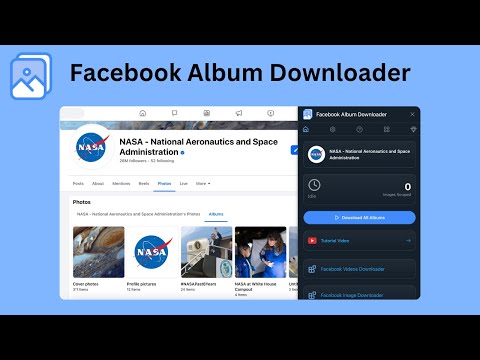
總覽
一鍵儲存所有 Facebook 相簿或任何單個相簿。快速的 FB 相片和相簿下載器。
📸 Facebook Album Downloader – Save Every Album in One Click Download all your Facebook photo albums at once, perfectly sorted into folders using each album’s original name. Every photo is saved in high resolution, fully organized, and downloaded automatically — no manual clicking required. Whether you’re saving a single album or your entire Facebook library, everything is handled with one click. 🚀 Why Use Facebook Album Downloader? Facebook makes it hard to save albums, forcing you to open each photo manually. This extension fixes that. With Facebook Album Downloader, you can: • Download all albums automatically • Download any single album instantly • Get full-quality images • Save hours of manual work No setup. No scripts. No technical steps. Just instant, organized downloads. 🧠 Key Features 1️⃣ 📁 One-Click Download for All Albums Grab your entire Facebook album collection in a single action: • Every album saved automatically • Each album becomes its own folder • All photos neatly sorted inside No scrolling or selecting — the extension handles everything. 2️⃣ 🎯 Download Any Single Album Instantly Want just one album? Open it → click once → done. Fast, clean, and perfectly organized. 3️⃣ 📷 High-Resolution Image Saving Your photos are downloaded in the highest quality available, preserving every detail. 4️⃣ 🤖 Fully Automated Scraping Start the process and let the extension do the rest: • No extra clicks • No manual photo opening • No page navigation required It works quietly in the background while you browse. 💡 Perfect For • 🧳 Backing up your full Facebook photo history • 👨👩👧 Saving family albums before they disappear • 📸 Photographers archiving client albums • 🧑💼 Social media managers organizing visual assets • 🧓 Family historians collecting old events • 👨🏫 Teachers and researchers gathering visual material 🌟 Benefits at a Glance • 🖱 One-click download for all albums • 📁 Folder auto-organization using album names • 📷 High-resolution photo saving • ⚡ Handles large albums with ease • 🔒 100% local and private—nothing ever leaves your device • 👶 Beginner-friendly and extremely fast 🧰 How to Use It 1. Install Facebook Album Downloader from the Chrome Web Store 2. Open any Facebook album — or your full album list 3. Hit “Start Download” 4. Watch your folders appear perfectly sorted on your device 🔐 Privacy First • No account data collected • No external servers • Everything runs locally inside your browser 📣 Save Your Memories Before They’re Gone Preserve years of Facebook albums in a few seconds. Back up everything — cleanly, safely, and automatically. ⚠ Legal Notice: This extension is independently developed and not affiliated with Meta Platforms, Inc. or Facebook. Use responsibly and follow Facebook’s terms of service.
3.3 分 (滿分 5 分)11 個評分
詳細資料
隱私權

「Facebook Album Downloader」已揭露下列關於收集及使用資料的資訊。 如需更多詳細資訊,請參閱開發人員的《privacy policy》。
Facebook Album Downloader 會處理下列資料:
這位開發者就你的資料做出下列聲明:
- 除經核准的用途外,不會將你的資料販售給第三方
- 不會基於與商品核心功能無關的目的,使用或轉移資料
- 不會為了確認信用度或基於貸款目的,使用或轉移資料
支援
如有疑問或建議,請前往開發人員的支援網站