

EzFind – Folders, Tags & Search for ChatGPT, Claude & Gemini

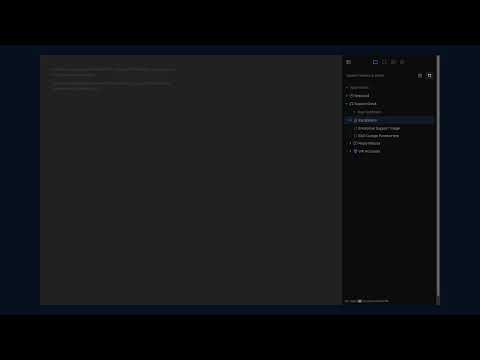
Overview
Organize, search & tag your ChatGPT, Claude & Gemini chats. Add folders, bookmarks & tags to find any conversation fast.
If you use ChatGPT, Claude, or Gemini every day, your history fills up fast, and the chat you actually need is always a few hundred entries down. EzFind gives that history some structure, so you can get back to any conversation in a few seconds. It sits quietly inside the chat page as a small dock and drawer, so you stay organized right where you already work. There's nothing to copy and paste, and no separate app to switch to. ✨ What you can do: - 📁 Group chats into folders for projects, clients, courses, or whatever you're working on - 🏷️ Add colored tags and filter a long history down to what matters - 🔖 Bookmark a specific answer, paragraph, or code block and jump straight back to it later - ⚡ Save the prompts you reuse as templates, with fill-in variables and a built-in library to start from - 🔍 Search across your chats, bookmarks, tags, folders, and templates in one place - 🧩 Use one extension everywhere, since EzFind works the same on ChatGPT, Claude, and Gemini 🔒 Your privacy comes first: EzFind only works with the chats you open in your own browser. Your full conversations are never stored, not in your browser and not on our servers. If you sign in for premium, cloud sync keeps your tags, folders, templates, notes, bookmarks, and preferences consistent across browsers. The only message text we ever keep is what you choose to save in a bookmark. EzFind is for anyone who relies on AI chat throughout the workday and wants to stay organized without much effort. 🌐 Supported sites: - ChatGPT: `https://chatgpt.com` - Claude: `https://claude.ai` - Gemini: `https://gemini.google.com`
0 out of 5No ratings
Details
- Version1.0.15
- UpdatedJuly 7, 2026
- FeaturesOffers in-app purchases
- Offered byezfind
- Size1.46MiB
- LanguagesEnglish
- DeveloperTRAN DUC QUANG
Ward 2 Ca Mau, Cà Mau 98100 VNEmail
ezfindchat@gmail.comPhone
+84 943 258 811 - TraderThis developer has identified itself as a trader per the definition from the European Union and committed to only offer products or services that comply with EU laws.
Privacy

EzFind – Folders, Tags & Search for ChatGPT, Claude & Gemini has disclosed the following information regarding the collection and usage of your data. More detailed information can be found in the developer's privacy policy.
EzFind – Folders, Tags & Search for ChatGPT, Claude & Gemini handles the following:
This developer declares that your data is
- Not being sold to third parties, outside of the approved use cases
- Not being used or transferred for purposes that are unrelated to the item's core functionality
- Not being used or transferred to determine creditworthiness or for lending purposes
Support
For help with questions, suggestions, or problems, visit the developer's support site