


Overview
EZ Search is a lightweight Chrome extension for opening and managing your bookmarks quickly and efficiently with a simple keybind.
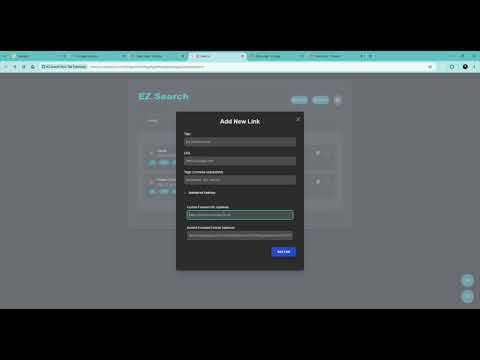
Search, tag, and launch your links without ever leaving your workflow. GETTING STARTED EZ Search comes with Ctrl+Shift+F bound automatically as soon as you install it - just press it to launch the app. If that shortcut doesn't do anything (usually because another extension already claimed it), go to "Extensions" → "Manage Extensions" → "Keyboard Shortcuts" in Chrome and set it manually. IMPORTANT: LOCAL DATA STORAGE EZ Search stores all bookmark data locally in your browser's Local Storage. If you clear your browser's cache, cookies, or site data, your bookmarks will be permanently deleted. Export your data regularly to keep a safe backup. KEYBOARD SHORTCUTS Ctrl+Shift+F - Launch EZ Search Esc - Close pop-ups, clear the search bar, or return focus to the search bar ↑ / ↓ - Navigate between visible links Enter - Open the focused link (or first result) in the current tab Ctrl+Enter - Open the focused link (or first result) in a new background tab Ctrl+Shift+Enter - Open the focused link (or first result) in a new tab KEY FEATURES - Quick Launch: Open EZ Search instantly from anywhere with your keyboard shortcut. - Powerful Search: Filter bookmarks by title, URL, or tags - type multiple keywords to narrow results, and all of them must match. - Tags: Organize your links with custom tags. Click any tag pill to instantly add or remove it from your search filter. - Add New Links: Add bookmarks with a title, URL, and optional tags in seconds. Advanced options let you set a custom favicon URL or upload a Base64-encoded favicon. - Edit & Delete: Manage each bookmark directly from its card. - Drag & Drop Reordering: Arrange your links in whatever order works best for you. - Dark Mode: Toggle between light and dark themes with one click. - Import/Export: Back up your data as a JSON file at any time. Import from an EZ Search JSON export or directly from Chrome's native HTML bookmark export - duplicate URLs are skipped automatically.
0 out of 5No ratings
Details
- Version1.0.1
- UpdatedSeptember 20, 2026
- Size870KiB
- LanguagesEnglish
- DeveloperWebsite
Email
ez.search.chrome.extension@gmail.com - Non-traderThis developer has not identified itself as a trader. For consumers in the European Union, please note that consumer rights do not apply to contracts between you and this developer.
Privacy

This developer declares that your data is
- Not being sold to third parties, outside of the approved use cases
- Not being used or transferred for purposes that are unrelated to the item's core functionality
- Not being used or transferred to determine creditworthiness or for lending purposes