

EyeTime — Focus, Screen Time & Eye Care
1 rating
)
Overview
Focus sessions in one click, gentle pauses before distracting sites, screen-time stats, eye care. Free, source-available, local.
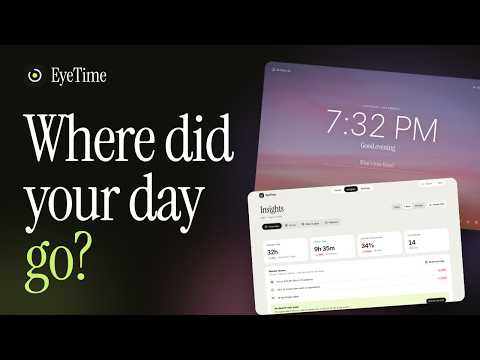
EyeTime helps you do deep work without fighting your browser. It is free, its source code is open for anyone to read and check, and it keeps everything on your device. FOCUS IN ONE CLICK Start a timed session from the toolbar, the new tab, Alt+Shift+F or the command palette (Ctrl/Cmd+K). Pick a mode — Deep work, Sprint, Study — add five more minutes when you are in the flow, and let the break timer do its job. Distracting sites pause until the session ends and open again by themselves. Strict mode is there when you really mean it. BLOCKING THAT RESPECTS YOU Choose categories (social, video, forums, news, games, shopping, messengers) or add your own sites. A short breathing pause with your own if–then plan beats a lockout. Add work hours, daily limits per site and a daily "distraction budget". Optional instant blocking (Chrome) sends a distracting page to the pause before a single request is made. PLAN THE DAY AND THE WEEK "Plan my day" fits your priorities into the time you really have. Type "Report tomorrow 14:30 45m !" or "Stretch every weekday" and EyeTime understands — in eleven languages. Subscribe to your calendar's link (or import a file) to see your next meeting on the focus card. Three goals for the week, recurring tasks, and your tasks in and out as Markdown or CSV. HONEST STATISTICS Time per site, hour and day; a day timeline with your focus sessions; focus time by project (#tag); estimate accuracy (planned vs. actual); your best focus hours; "what pulls you" — when a site tempts you, with a one-tap limit; a weekly review and a shareable "My week" picture. Re-classify any site as productive, neutral or distracting with one tap. Export CSV or a Markdown journal. A CALM NEW TAB Clock, focus card with a daily goal, tasks with priorities, habits, notes and quick links. 16 looks, any accent colour, 22 photo backgrounds, real ambient sounds. Light and dark. Switch it off any time. LOOK AFTER YOUR EYES 20-20-20 reminders based on real, active screen time and a guided 20-second break page. SHORT-VIDEO GUARD After a limit of Shorts / Reels / TikTok / VK Clips scrolling, the page goes grayscale and pauses. PRIVATE BY DESIGN No account. No servers. No analytics. Only domain names and seconds are stored — on your device. If you subscribe to a calendar link, EyeTime downloads that one file straight from your browser; the address never leaves your device. Optional settings sync uses your browser's own sync and never includes your history. The source code is open to read (Functional Source License, FSL-1.1-ALv2): https://github.com/maxbzd/eyetime Optional: encrypt your synced settings and tasks with a passphrase, so even the browser's cloud holds only ciphertext. Languages: English, Russian, Spanish, German, French, Portuguese, Italian, Polish, Ukrainian, Chinese and Japanese.
5 out of 51 rating
Details
- Version3.9.3
- UpdatedNovember 16, 2026
- Offered bymaxbzd1600@gmail.com
- Size42.5MiB
- Languages12 languages
- Developer
Email
maxbzd1600@gmail.com - Non-traderThis developer has not identified itself as a trader. For consumers in the European Union, please note that consumer rights do not apply to contracts between you and this developer.
Privacy

EyeTime — Focus, Screen Time & Eye Care has disclosed the following information regarding the collection and usage of your data. More detailed information can be found in the developer's privacy policy.
EyeTime — Focus, Screen Time & Eye Care handles the following:
This developer declares that your data is
- Not being sold to third parties, outside of the approved use cases
- Not being used or transferred for purposes that are unrelated to the item's core functionality
- Not being used or transferred to determine creditworthiness or for lending purposes
Support
For help with questions, suggestions, or problems, visit the developer's support site