

Eye Care OS: Eye Exercises, Blue Light Blocker & Reading Mode

Overview
Guided eye exercises, blue light blocker, reading mode, break timer and calming audio for more comfortable screen time.
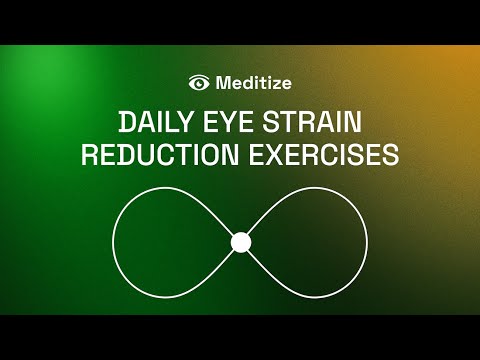
Eye Exercises, Blue Light Blocker & Reading Mode — Meditize helps make long screen time easier on your eyes with 30-second guided eye exercises, a blue light blocker, reading mode, smart break reminders, and calming audio. If your eyes feel tired after computer work, coding, studying, reading, meetings, or late-night browsing, Meditize gives you a simple way to pause, reset, and return to your screen with more comfort. Built for desk workers, developers, designers, students, writers, researchers, and anyone spending long hours in Chrome, Meditize turns screen breaks into a small daily habit. Start a short eye exercise, soften bright screen colors, switch cluttered pages into a cleaner reading view, or use break reminders to step away from continuous screen focus. Meditize is designed to be quick and non-disruptive. Each eye exercise takes only 30 seconds, so you can use it between tasks, during deep work, after long reading sessions, or whenever your screen starts to feel visually tiring. The extension combines eye movement routines, browser comfort tools, and relaxing audio in one simple workspace companion. 🧘 Relaxation and Stress Relief: Short guided routines help release visual tension and support a calmer work rhythm. 👁 30-Second Eye Exercises: Follow simple visual movement patterns to reset focus after intensive screen use. 🌙 Blue Light Blocker: Soften bright screen colors for more comfortable browsing, especially in the evening or low-light conditions. 📖 Reading Mode: Turn cluttered pages into a cleaner reading view for articles, documents, research, and long-form content. ⏱ Break Timer and Daily Consistency: Use smart reminders to build healthier screen habits during long computer sessions. 🎧 Calming Audio: Add ambient sound to your breaks to make each session feel more relaxing and less disruptive. 👀 Focus and Comfort Support: Return to work, study, or browsing with a clearer routine for managing screen fatigue. Note: Meditize is a wellness tool for everyday screen comfort, focus breaks, and relaxation. It is not a medical device and does not provide medical advice, diagnosis, treatment, or guaranteed health outcomes.
5 out of 54 ratings
Details
- Version1.135
- UpdatedJune 5, 2026
- Size4.97MiB
- LanguagesEnglish
- DeveloperWebsite
Email
meditize.app@gmail.com - Non-traderThis developer has not identified itself as a trader. For consumers in the European Union, please note that consumer rights do not apply to contracts between you and this developer.
Privacy

Eye Care OS: Eye Exercises, Blue Light Blocker & Reading Mode has disclosed the following information regarding the collection and usage of your data. More detailed information can be found in the developer's privacy policy.
Eye Care OS: Eye Exercises, Blue Light Blocker & Reading Mode handles the following:
This developer declares that your data is
- Not being sold to third parties, outside of the approved use cases
- Not being used or transferred for purposes that are unrelated to the item's core functionality
- Not being used or transferred to determine creditworthiness or for lending purposes
Support
For help with questions, suggestions, or problems, visit the developer's support site